


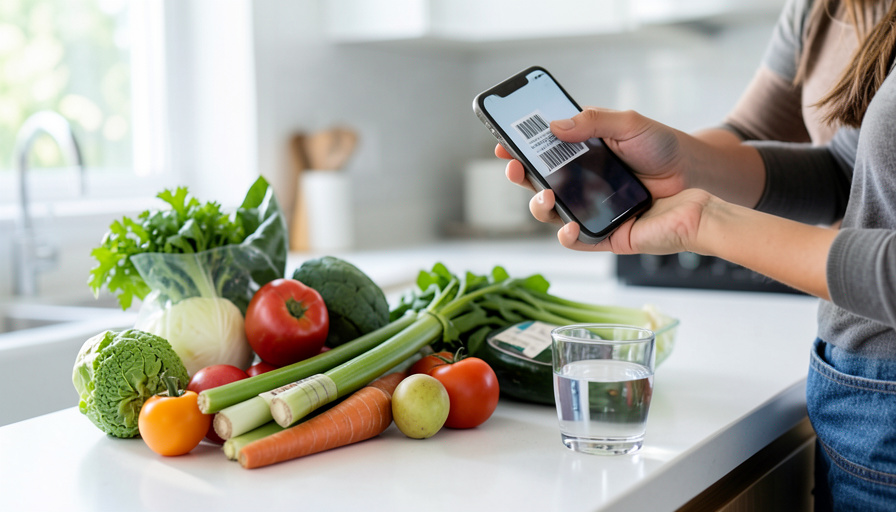
MyFitnessPal used to be the easy answer. Point your phone at a barcode, and dinner logged itself. Then, in 2022, that scanner went behind the Premium wall, and by 2026 it runs around $80 a year to aim your camera at a label again. Reddit is full of people who used the app for a decade and walked, and the question under every thread is the same: what still scans for free? Plenty does. Here are the calorie trackers that kept barcode scanning free, what each one is good at, and the catch to know before you switch.
Scanning matters more than it sounds. Typing “grilled chicken breast” and guessing the grams is slow and easy to get wrong. A scan pulls the exact product and portion in one tap, which is the difference between a food log you keep for a week and one you keep for a year. Losing that for free was the last straw for a lot of longtime users.
The short answer
You do not have to pay to scan a barcode. FatSecret, Cronometer, MyNetDiary, and Foodnoms all keep barcode scanning on their free tier, and each is a full food log, not a stripped demo. FatSecret is the closest to a no-strings free ride. Cronometer has the most accurate nutrition data. MyNetDiary feels the most like the old MyFitnessPal. Foodnoms is the best designed if you carry an iPhone. One warning up front: Lose It, the app people often reach for next, is quietly shifting its scanner to Premium too, so read the fine print before you commit.


How the free scanners compare
| App | Free barcode scanning | Food database | Platforms | The main catch |
|---|---|---|---|---|
| FatSecret | Yes, fully free | Large, with branded and restaurant items | iOS, Android, Web | Shows ads unless you pay |
| Cronometer | Yes, unlimited | Verified, strong on vitamins and minerals | iOS, Android, Web | Free plan shows only 7 days of history |
| MyNetDiary | Yes, free | Large and well curated | iOS, Android, Web | Best extras sit behind Premium |
| Foodnoms | Yes, free | Solid, focused on US labels | iOS only | No Android or web version |
Why MyFitnessPal’s paywall stings
MyFitnessPal did not raise a price you could shrug off. It took a feature people used every single day, the barcode scanner, and made it a reason to subscribe. A barcode scan is the fastest, most accurate way to log a packaged food, so gating it turned a two-second task into typing and guessing, or paying. Threads from the UK, Australia, and the US all tell the same story: a decade of logs, a habit built around the scanner, and then a wall. The apps below treat scanning as table stakes, the way MyFitnessPal once did.
1. FatSecret, free scanning with nothing held back

If your only goal is to replace what you lost without opening your wallet, FatSecret is the pick. Its free tier keeps the full food database, the food diary, and barcode scanning, with no subscription required. It works on iPhone, Android, and the web, so your log follows you across devices. The database leans large and includes branded and restaurant foods, which is where a scanner earns its keep. The trade is ads, and an optional Premium runs roughly $40 to $60 a year if you want them gone and a few extra insights. For most people leaving MyFitnessPal purely over the scanner, FatSecret is the softest landing.
2. Cronometer, free scanning and the most accurate data
Cronometer is the one to choose if you care what is in your food, not just the calorie count. Its free tier includes unlimited barcode scanning, and its database is built on verified, lab-analyzed entries rather than the crowd-sourced guesses that fill some apps. That accuracy shows up most in micronutrients: if you track iron, vitamin D, or protein with any seriousness, Cronometer is in a class of its own. It runs on iPhone, Android, and the web. The catch is that the free plan limits your history view to the last seven days, so a paid upgrade makes sense if you want to look back over months. For scanning plus trustworthy numbers, nothing free beats it.
3. MyNetDiary, the closest thing to old MyFitnessPal

Some people do not want a different app, they want the app they had before the changes. MyNetDiary is the nearest thing to it. Its free experience covers the food diary, calories and macros, and barcode scanning, with a clean, ad-light layout and a large, well-curated database. It works across iPhone, Android, and the web, and you can start logging without even creating an account. The best of its coaching and analysis features live behind Premium, but the core loop, scan, log, see your numbers, is free. If the barcode paywall is the only thing driving you out, MyNetDiary lets you land somewhere familiar.
4. Foodnoms, the nicest design, if you use an iPhone
Foodnoms is the one people fall for on looks and stay for the speed. It is built only for Apple devices, and it shows: fast logging, a tidy interface, and rich Apple Health integration. Barcode scanning is completely free, and the company has been vocal that it will not move it behind a paywall the way MyFitnessPal did. The database skews toward US packaged foods and is solid rather than the largest. An optional subscription adds deeper nutrition goals for around $40 a year. The obvious limit is platform: there is no Android or web version, so Foodnoms is only in the running if your household is all iPhone.
Two more worth knowing about
A couple of options sit outside the main four but earn a mention. If you mostly want to check a label in the store rather than keep a full diary, Open Food Facts is a community-run, entirely free product database with a scanner and no premium tier at all. It is a scan-and-read tool, not a calorie tracker, so pair it with a diary app if you want daily totals. For the privacy-minded, open-source trackers like OpenNutriTracker build a full free log on top of that same community data, which is why they keep turning up in self-hosting threads.
One heads-up before you pick. Lose It, long a go-to free alternative, has started moving its barcode scanner behind Premium for new accounts, at about $40 a year. Older accounts may still scan for free during the transition, but a fresh sign-up may hit the same wall you are trying to escape. It is a reminder that “free scanning” can change with an update, so it is worth confirming on the app store before you rebuild your routine.
This article is general information, not medical or nutrition advice. Calorie and nutrient figures in any food app are estimates and can vary from the actual product, and app features and prices change often. If you have a health condition or a specific dietary goal, talk with a doctor or a registered dietitian, and confirm current features in each app before relying on them.
How We Picked These
We started from one non-negotiable: barcode scanning has to be free, because that is the feature MyFitnessPal took away. From there we looked at whether the app is a full food log rather than a teaser, how big and how trustworthy its database is, which platforms it runs on, and what the free tier holds back. We leaned on what long-time users report after switching, not just feature lists, and we flagged the catch for each one instead of pretending there is a perfect free ride. We left out apps that gate scanning, and we say so plainly when an option is a label reader rather than a tracker.

What To Know
- MyFitnessPal moved barcode scanning to Premium in 2022, and it costs around $80 a year in 2026.
- FatSecret keeps scanning, the database, and the diary free, paying its way with ads.
- Cronometer offers free unlimited scanning and the most accurate nutrition data, but shows only 7 days of history on the free plan.
- MyNetDiary feels closest to old MyFitnessPal; Foodnoms is the best designed but iPhone-only.
- Lose It is shifting its scanner to Premium for new accounts, so check before you rely on it.
Frequently Asked Questions
Which MyFitnessPal alternative has free barcode scanning and works on Android?
FatSecret, Cronometer, and MyNetDiary all include free barcode scanning and run on Android, iPhone, and the web. FatSecret is the most generous free tier overall, Cronometer has the most accurate data, and MyNetDiary feels the most like the old MyFitnessPal. Foodnoms also keeps scanning free but is iPhone-only, so skip it if you are on Android.
Is FatSecret free, or is there a hidden paywall?
FatSecret keeps its food database, diary, and barcode scanner free with no subscription. It supports itself with ads instead of gating core features. There is an optional Premium at roughly $40 to $60 a year that removes ads and adds some analysis, but you can log, scan, and track indefinitely without paying. That is the main reason it is the top pick for people leaving over the scanner alone.
Why did MyFitnessPal put the barcode scanner behind a paywall?
MyFitnessPal made barcode scanning a Premium feature in 2022 as part of shifting more of the app to paid subscriptions. Because scanning is the fastest way to log a packaged food, moving it behind the wall gave a lot of free users a strong reason to subscribe. The apps in this guide keep scanning free and monetize other ways, through ads or optional upgrades that leave the core scanner alone.
Can I move my old MyFitnessPal history to a new app?
Not directly in most cases, since apps do not sync each other’s diaries. MyFitnessPal lets you export your logged data to a file, and a few apps can import a food history or at least let you recreate your custom foods and recipes. In practice, most people start fresh, rebuild a short list of frequent meals in the first week, and let the scanner do the rest. Your weight history and goals are quick to re-enter.
What is the most accurate free calorie tracker?
Cronometer is the standout for accuracy, because its database uses verified, lab-analyzed entries rather than only crowd-sourced ones, and it tracks vitamins and minerals in detail. That makes it the best free choice if you care about micronutrients, not just calories. The trade-off is a seven-day history limit on the free plan. For most everyday logging, FatSecret and MyNetDiary are accurate enough and less restrictive on history.
What To Do Next
Pick based on your phone and your priority: FatSecret for the freest ride, Cronometer for the best data, MyNetDiary for the familiar feel, or Foodnoms if you are all-in on iPhone. Install one, rebuild your handful of regular meals, and scan everything else for a week to see if the habit sticks. For more on eating and tracking without overspending, browse the health section, and the technology section has more on the apps behind the habits.