


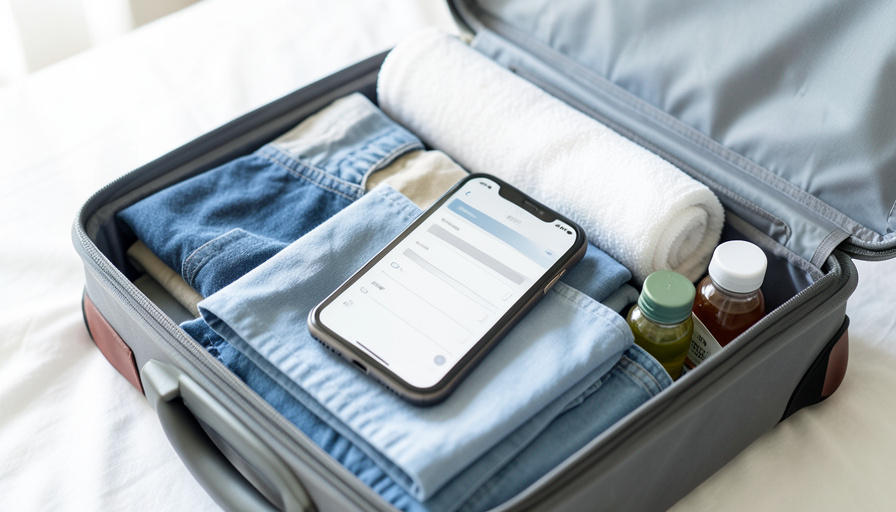
Everyone starts with Notes. You type “socks, charger, passport” the night before a flight, forget it exists until the next trip, then rebuild the same list from scratch. It works until the trip gets complicated: three cities, two climates, someone else packing half the bags. That is where a plain note falls apart, because it cannot reuse itself, check the weather, or let a travel partner tick items off.
A dedicated packing app fixes exactly those gaps. The best ones remember last trip, build a list from your destinations and dates, and sync so everyone packs the right things. Here are twelve that beat Notes, ordered from purpose-built packing tools to flexible apps you can bend into a reusable system, with a note on how each handles multi-city trips.
The three quick picks:
- Packr is the best all-round packing app for multi-destination trips, with weather, activities, and item assignment.
- PackPoint is the easiest auto-generator, building a list from your destination and forecast in seconds.
- Wanderlog is best if you want your packing list living inside a full multi-city itinerary.
Quick Picks: Packing Apps Compared
| App | Best for | Free tier | Multi-city |
|---|---|---|---|
| Packr | All-round multi-destination packing | Yes | Strong |
| PackPoint | Auto-generating from weather | Yes | Per-leg lists |
| Wanderlog | Packing inside an itinerary | Yes | Strong |
| PackItSmart | Smart suggestions | Yes | Good |
| TripList | Simple reusable templates | Yes | Templates |
| Google Keep | Free Notes replacement | Yes | Manual |
| Microsoft To Do | Free shared lists | Yes | Manual |
| Todoist | Template power users | Yes | Sections |
| TickTick | Checklists plus calendar | Yes | Folders |
| Any.do | Clean shared checklists | Yes | Manual |
| Notion | Fully custom templates | Yes | Per-leg views |
| Trello | Board-based packing | Yes | Boards per city |
Why Notes Falls Short for Real Trips
Notes is fine for a single overnight. The trouble starts when a trip has moving parts. A plain list starts blank every time, so you rebuild it and forget the things you always forget. It has no idea it will be 40 degrees in one city and 80 in the next, so it cannot prompt you to pack a layer. And it does not coordinate, so you and a partner end up with two chargers and no adapter.
The apps below solve one or more of those problems. Some generate a list from your itinerary and the forecast. Some just make it trivial to reuse a great template. All of them beat retyping the same note before every departure.


1. Packr
Best for: travelers who want one app to handle a genuine multi-city trip.
Packr builds a checklist from your trip length, each destination’s weather, and the activities you plan, then lets you assign items and sync with TripIt for your itinerary. Its multi-destination handling is the standout, which is exactly what a multi-city trip needs. The free version covers the basics, with a paid tier for unlimited trips and extras.
2. PackPoint
Best for: getting a smart list in seconds without much setup.
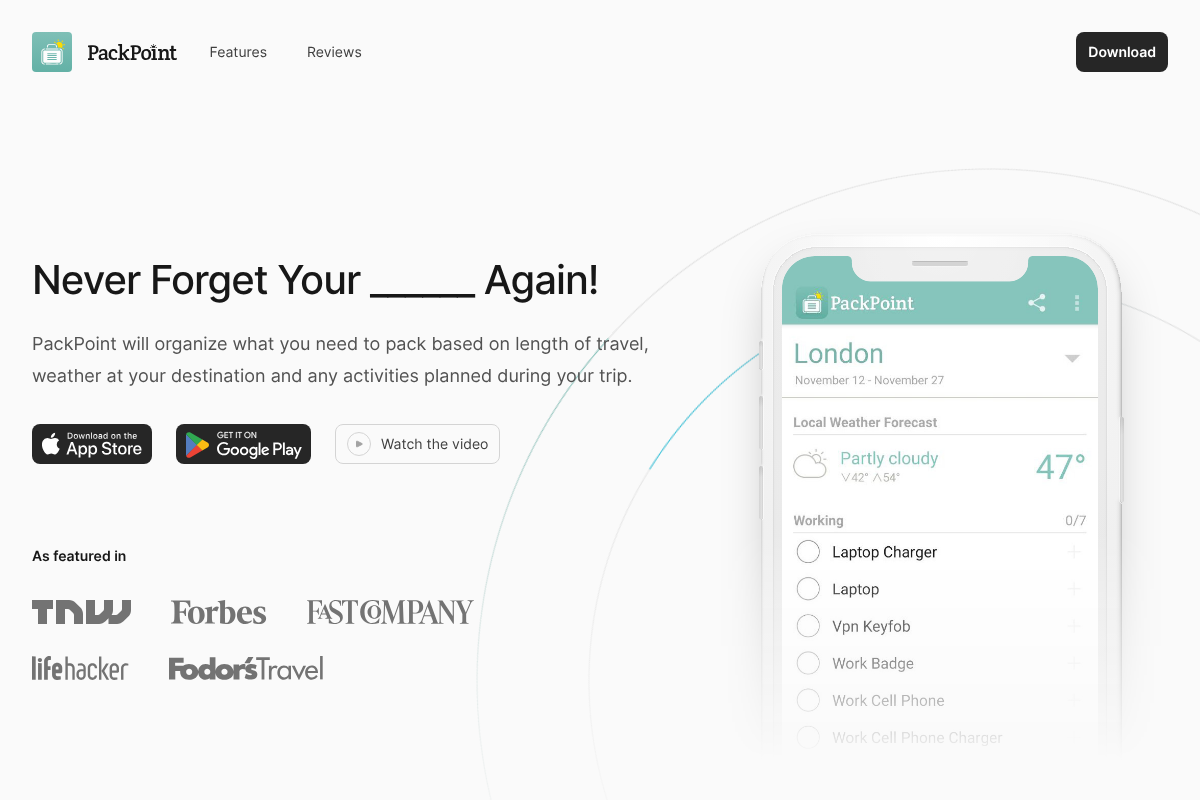
PackPoint is the veteran auto-generator. Enter your destination, dates, and activities, and it pulls the local forecast to build a categorized list, reminding you about travel-size toiletries and the layer you would forget. It works on both iOS and Android. Its one weakness is multi-stop trips, so for a multi-city itinerary, build a separate PackPoint list for each leg. Free, with a small Premium upgrade around $3.

3. Wanderlog
Best for: keeping your packing list attached to a full multi-city itinerary.
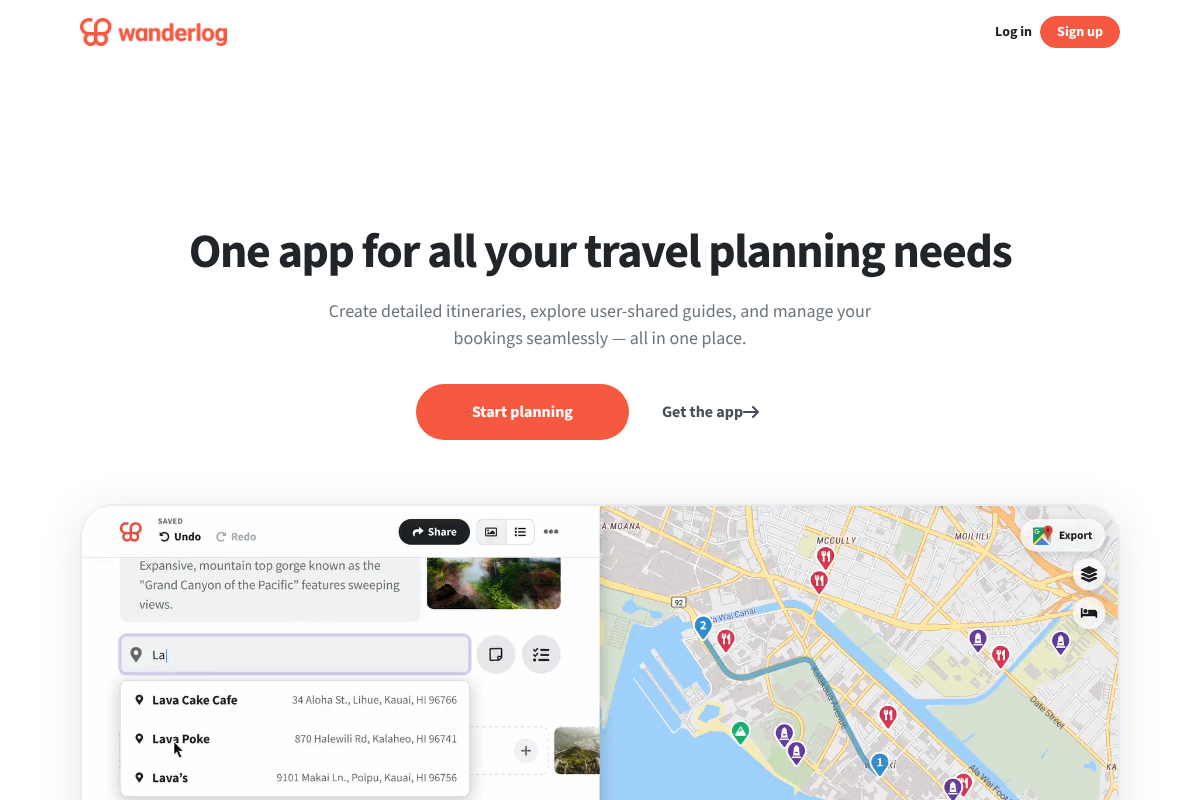
Wanderlog is a trip planner first, with maps, bookings, and day-by-day plans, and a packing list built in. Because it is designed around multi-stop itineraries and shared trips, your packing list sits right next to the cities and dates it belongs to, and travel companions can edit along with you. Free, with a Pro tier for offline access and extras.
4. PackItSmart
Best for: smart, suggestion-driven lists with less manual work.
PackItSmart leans on smart suggestions to propose what you need based on your trip details, then lets you refine and save the result. It is a clean, modern take on the auto-generator idea, and it handles varied trips well. There is a free tier to try before any upgrade.
5. TripList
Best for: people who just want a reusable checklist without the frills.
TripList keeps it simple: build a great packing template once, then reuse and tweak it for every trip, and share it with whoever is traveling with you. No weather engine, no itinerary, just a fast, dependable checklist that remembers itself. Free to use.
6. Google Keep
Best for: the closest free upgrade from a plain notes app.
If you love Notes but want more, Google Keep is the natural step up. It has real checkboxes, color labels, reminders, and easy sharing, and it syncs across every device for free. Duplicate last trip’s note and you have a reusable template in one tap. It will not check the weather, but as a Notes replacement it is hard to beat for zero dollars.

7. Microsoft To Do
Best for: free shared lists with a bit more structure.
Microsoft To Do gives you free, syncing lists with steps, due dates, and sharing. Duplicate a master packing list for each new trip, or share one with a travel partner so you both work the same checklist. It is clean, cross-platform, and completely free, which makes it a strong no-cost pick.
8. Todoist
Best for: template lovers who want serious organization.
Todoist turns packing into a repeatable system. Save a packing project as a template, break it into sections like carry-on, toiletries, and electronics, and reload it for every trip. Its cross-platform apps and sharing are excellent, and for a multi-city run you can use sections per leg. Free tier is generous; Pro runs about $4 a month.
9. TickTick
Best for: combining a packing checklist with your travel calendar.
TickTick blends checklists, templates, and a calendar in one app, so your packing list and your departure times live together. Folders let you group lists by trip or by city, and it works offline, which matters when you are packing somewhere with spotty wifi. Free tier covers most needs; Premium is around $3 a month.
10. Any.do
Best for: a clean, shareable checklist that stays out of your way.
Any.do is built around simple, good-looking lists with reminders and easy sharing. Make a packing list, share it with your travel group, and check items off together. It will not generate anything from the weather, but as a tidy shared checklist that syncs everywhere, it comfortably beats a plain note. Free, with an optional Premium tier.
11. Notion
Best for: travelers who want a packing system built exactly their way.
Notion is the power user’s canvas. Build a reusable packing template as a database, tag items by category and by which city needs them, then filter a view per leg of a multi-city trip. It is collaborative, works across devices, and the free plan is plenty for personal use. The setup takes a little effort, but you build it once and reuse it forever.
12. Trello
Best for: visual packers who think in boards and cards.
Trello turns packing into a board you can see at a glance. Make a card for each bag or category, add checklists inside, and for a multi-city trip, spin up a list or board per city. Cards move as you pack, sharing is built in, and you can copy a whole board as your reusable template. Free tier is ample; the Standard plan is around $5 a month.
How We Chose These
We started from the real frustration behind the search: Apple Notes cannot reuse a list, react to the weather, or coordinate between travelers, and multi-city trips make all three worse. So we prioritized apps that fix at least one of those gaps, with a clear edge for tools that handle multiple destinations or make templates painless to reuse. We included both purpose-built packing apps and flexible checklist apps you can shape into a packing system, so there is a fit whether you want automation or full control. Every pick has a genuine free tier, because packing help should not require a subscription. We leaned on what travelers actually recommend in communities like r/HerOneBag and r/onebag over marketing claims.
The Bottom Line
For a true multi-city trip, start with Packr or Wanderlog, since both are built to handle several destinations at once. If you just want a smart list fast, PackPoint is the quickest, with one list per leg. And if you would rather stay free and simple, Google Keep or Microsoft To Do upgrade you from Notes without spending a cent. The real win is reuse: build one great template in whichever app fits your brain, and you will never rebuild that packing note from scratch again.
For more trip planning, see our rainy-day Edinburgh itinerary and browse our travel section.
Frequently Asked Questions
What is the best packing list app instead of Notes?
For most travelers, Packr and Wanderlog are the strongest upgrades because they handle multi-city trips and add weather and collaboration. If you want the simplest free replacement for Notes, Google Keep or Microsoft To Do give you reusable, shareable checklists at no cost. The best choice depends on whether you want automation or just a smarter list.
Which packing app is best for multi-city trips?
Packr and Wanderlog lead for multi-city travel because both are designed around multiple destinations. PackPoint works well too, but it is happiest with a separate list per leg rather than one combined trip. For a fully custom approach, Notion and Trello let you build a view or board per city, which suits complex itineraries.
Are there free packing list apps?
Yes. Every app on this list has a real free tier. Google Keep, Microsoft To Do, TripList, and Any.do are free for the features most travelers need, and Packr, PackPoint, Todoist, TickTick, Notion, and Trello all offer capable free plans with optional paid upgrades for extras like offline access or unlimited trips.
Can I share a packing list with the people I travel with?
Yes, and it is one of the biggest advantages over a private note. Wanderlog, Google Keep, Microsoft To Do, Any.do, Todoist, Notion, and Trello all support shared lists, so a couple or a group can pack from the same checklist and avoid packing three of the same charger and no adapter.
Do packing apps work offline?
Many do, which matters when you are packing somewhere with weak wifi or heading home from a trip. TickTick, Notion, and Todoist offer offline access, and most checklist apps keep your lists available on-device and sync when you reconnect. Check each app’s offline support if you often pack in places without reliable internet.