


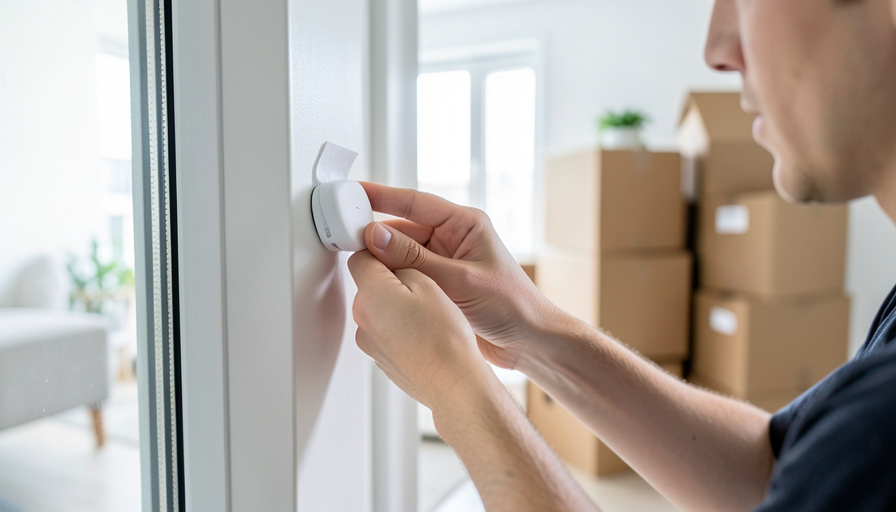
Ring Alarm is a solid renter system: it is wireless, sticks up without drilling, and comes off the wall when you leave. So why look elsewhere? Because plenty of renters want out of the Amazon account, off the monitoring contract, or onto a cheaper monthly bill, and some want a system with zero required fees at all. Every pick below is DIY, no-drill, and fully portable, so it peels off and moves with you at the end of a lease. Here are six Ring Alarm alternatives worth a look, and who each one fits.
The move-friendly part is the easy part, since any good wireless system relocates. The real differences are in the monthly cost, the contract terms, the privacy model, and how much smart-home gear you want to plug in. Here is an honest look at each.
Why renters look past Ring Alarm
Credit where it is due: Ring has a polished app, deep Alexa integration, an affordable monitoring plan, and hardware that installs and uninstalls in minutes. The reasons renters shop around are usually these: it is tied to an Amazon account and Ring’s privacy record has drawn scrutiny, including a 2023 settlement with the FTC over past security and privacy failures; video history and professional monitoring sit behind a subscription; and the ecosystem nudges you toward more Ring gear. If none of that bothers you, Ring is fine. If any of it does, these alternatives cover the same ground differently.


At a glance
| System | Self-monitoring | Pro monitoring | Best for the renter who |
|---|---|---|---|
| SimpliSafe | Limited without a plan | No contract, optional | Wants the smoothest setup and a loud alarm |
| Abode | Free | No contract, optional | Wants HomeKit and lots of smart-home links |
| Wyze | App alerts | Lowest cost | Wants the cheapest way in |
| Cove | Limited | No contract, optional | Wants simple gear on a budget |
| Eufy | Free, local storage | Optional | Refuses to pay any monthly fee |
| Kangaroo | Free | Low cost | Wants a bare-bones, cheap starter kit |
1. SimpliSafe
SimpliSafe is the system most people mean when they say “easy DIY alarm.” The sensors are wireless and adhesive, setup takes about half an hour, and the base station has a genuinely loud siren. Professional monitoring is optional and contract-free, so you can pay month to month or drop it when money is tight. For a mover, it is close to ideal: peel the sensors, box the base and keypad, and rebuild it at the next place. The honest catch is price, since the equipment costs more than budget rivals, and some features and full self-monitoring lean on a paid plan.
2. Abode

Abode is the pick for the renter who wants their security to talk to everything else. It offers free self-monitoring, so you can run the whole system for no monthly fee and only pay for professional monitoring if you want it, with no contract. It supports Apple HomeKit, Alexa, Google, and Z-Wave accessories, which is unusual at this level. It is fully portable like the rest. The downsides: Abode is a smaller brand than Ring or SimpliSafe, the app has a learning curve, and the best automation features sit behind the paid tier.
3. Wyze Home Monitoring
Wyze is the budget door into home security, and for a cash-strapped renter that matters. The hardware is inexpensive, the app is decent, and professional monitoring costs a fraction of what rivals charge. Everything is wireless and moves easily. Two honest caveats belong here: the gear feels as cheap as it is, and Wyze has had security incidents in the past, so it suits someone who wants basic, affordable coverage rather than a privacy fortress. For a first apartment on a tight budget, it is hard to beat on price.
4. Cove
Cove competes directly with SimpliSafe on ease of setup and undercuts it on price. The touchscreen panel is friendly, installation is peel-and-stick, and monitoring is contract-free. It is a clean, no-drama choice for a renter who wants a straightforward alarm without a big ecosystem. The trade-offs: Cove is built around its monitoring service, so running it purely self-monitored is limited, and it does not offer the broad smart-home integrations that Abode does. If you mostly want reliable intrusion alerts on a budget, it delivers.
5. Eufy Security

Eufy, made by Anker, is the answer for the renter who refuses to pay a monthly fee. Its cameras store footage locally rather than in a paid cloud, the alarm kit uses self-adhesive sensors, and camera quality is above average for the price. You can run it with no subscription at all. Be aware of the caveats: Eufy drew criticism in 2023 over how some “local” footage was handled, which the company addressed, so weigh that against your privacy priorities, and its alarm ecosystem is smaller than SimpliSafe’s. For no-fee monitoring and strong cameras, it stands out.
6. Kangaroo
Kangaroo is the ultra-budget, renter-first option. The sensors are peel-and-stick, the price of entry is rock-bottom, and self-monitoring is free through the app. It is aimed squarely at apartments and first-timers who want a few door and motion sensors and a phone alert, nothing more. The limits are the point: the hardware is basic, professional monitoring and features are thin compared with the bigger names, and it will not scale into a full smart-home hub. As a cheap, take-it-anywhere starter, it does its one job.
How to move your system without losing coverage
The transfer is simple if you do it in order. A day or two before the move, disarm the system and open the app so you are not triggering alerts while you pack. Peel each sensor off gently, and if the adhesive tears, a fresh strip of double-sided mounting tape restores it at the new place. Box the base or hub and the keypad together. At the new apartment, plug in the hub, reconnect it to the new Wi-Fi, restick the sensors, and run a test in the app. If you use professional monitoring, update your address with the provider so dispatch goes to the right place, and confirm any permit rules your new city requires. Because none of this involves drilling, your deposit stays intact at both ends.

How to pick the right one
Match the system to how you rent and what you will pay monthly:
- Smoothest setup and a loud alarm: SimpliSafe, if the higher gear cost is fine.
- Most smart-home connections and free self-monitoring: Abode, especially for HomeKit users.
- Cheapest way to start: Wyze, accepting basic hardware.
- Simple budget alarm with optional monitoring: Cove.
- Zero monthly fees and strong cameras: Eufy.
- Bare-bones starter for a small apartment: Kangaroo.
For a broader primer on how these systems work, the Wikipedia overview of home security is a neutral starting point.
This article is general information, not security or purchasing advice. Equipment, monitoring plans, prices, and privacy practices change often and vary by region, and your building or city may have alarm-permit or landlord rules. Confirm current details with each provider and your lease before you buy or install.
What To Know
- Every pick here is wireless, no-drill, and portable, so it moves with you at the end of a lease.
- Ring is renter-friendly too; people switch mainly over the Amazon account, subscriptions, or wanting no fees.
- SimpliSafe and Abode lead for ease and smart-home links; Wyze and Kangaroo lead on price.
- Eufy is the standout if you refuse any monthly fee, thanks to local storage.
- Moving means re-pairing the hub to new Wi-Fi, resticking sensors, and updating your monitoring address.
Frequently Asked Questions
Can I take a home security system with me when I move out?
Yes, if it is a wireless DIY system like the ones here. Every pick uses adhesive sensors and a plug-in hub, so you peel everything off, box it, and reinstall it at the next place with no tools. Keep a little double-sided mounting tape on hand in case an adhesive pad tears during removal. Because nothing is drilled, your deposit is not at risk, which is the main reason renters favor these over wired systems.
Which renter alarm system has no monthly fee?
Eufy is the strongest no-fee option, since its cameras store footage locally and you can self-monitor through the app without a subscription. Abode and Kangaroo also offer free self-monitoring, though professional monitoring is a paid add-on for all of them. Ring, Cove, and SimpliSafe lean more on paid plans for their full features. If avoiding any recurring bill is your priority, start with Eufy or Abode.
Do I need my landlord’s permission to install one of these?
Usually not, because these systems require no drilling or wiring, which is what most leases restrict. Adhesive sensors and a plug-in hub are considered your personal property, not a modification to the unit. Still, it is worth a quick check of your lease for any clause about alarms or monitoring, and if you add a doorbell camera on shared or exterior space, confirm that is allowed. When in doubt, ask before you install.
How is a Ring alternative different for privacy?
The main difference is who holds your data and whether footage lives in the cloud. Eufy emphasizes local storage to keep video off a paid cloud, while systems like Abode and SimpliSafe are not tied to a retail giant’s broader account. Ring works well but runs through an Amazon account and has faced privacy scrutiny. Read each provider’s current privacy policy, since practices change, and pick the model you are comfortable with.
Will professional monitoring still work after I move?
It will, but you have to update your service address with the monitoring provider so dispatch sends help to the right home. Do this as part of the move, along with re-pairing the hub to your new Wi-Fi. Some cities also require an alarm permit for monitored systems, so check your new municipality’s rules. Test the system in the app once everything is set up before you count on it.
The Bottom Line
Ring Alarm is genuinely portable, so the reason to switch is rarely the move itself. It is wanting off the Amazon account, out of a subscription, or onto no monthly fee at all. SimpliSafe and Abode are the smoothest all-rounders, Wyze and Kangaroo win on price, Cove keeps it simple, and Eufy is the no-fee, local-storage pick. Whatever you choose, keep it wireless and adhesive so it packs up clean, and update your address and Wi-Fi at the next place. For more on setting up a rental, browse the home improvement section, and the technology section has more on smart-home gear.