



Most apps a school hands a child quietly share their data with outside companies, and the numbers behind that are worse than most parents assume.
You sign the device form at the start of the year, your kid logs into a dozen learning apps, and that is usually the last time anyone mentions data. Behind the login, though, those apps are often sending information about your child to companies you never agreed to. This is the documented norm across the software in the average classroom, and the best available research puts a hard number on how common it is.
Short Answer
In the largest US study of school apps, 96% shared children’s data with third parties, and in 78% of those cases the data went to advertising or analytics companies, often without clear consent. Fewer than a third of edtech products meet a basic privacy bar in independent evaluations. Parents rarely see any of this because schools, not families, pick the tools. You can push back with permission checks, privacy ratings, and a direct ask to the school.
Table of Contents
The one number that matters: 96%
Internet Safety Labs ran the most thorough audit of US school technology to date, testing 1,722 apps that were recommended or required across 663 schools covering roughly 455,000 students. The headline finding: 96% of those apps sent student data to third parties, and 78% of the sharing went to advertising and analytics firms, frequently without meaningful consent, as reported in coverage of the K-12 edtech benchmark. This is not a fringe subset. Sharing is the default behavior of the software in the average American classroom.
Where the data actually goes
The recipients are the names you would guess. In the same audit, 68% of apps sent data to Google and 36% sent data to Apple, reflecting how deeply those two companies sit under classroom software. Beyond the platforms, the data flows to advertising networks and data brokers that build profiles. The information itself ranges from the obvious, like names and emails, to device identifiers, location, and behavioral data about how a child uses the app. Once it leaves the app, a family has almost no visibility into where it lands next.
Why parents rarely see it coming


Here is the structural catch. In consumer apps, you download the thing and tap “agree.” In school, the district chooses the tools and the child logs in, so the consent step that would normally involve a parent often never reaches you. That is why the collection routinely exceeds what parents expect: nobody showed them the privacy policy in the first place. The apps are not hiding in a legal sense, but the disclosure is buried in vendor terms a busy family will never read, which is exactly how the sharing stays invisible.
How many apps meet a basic privacy bar?
Not many, and that is the second uncomfortable number. In Common Sense Media’s privacy evaluations, only about 26% of assessed edtech products earned a passing grade for basic safeguards, leaving roughly 74% flagged with a warning. Earlier rounds were worse, with as few as one in ten meeting minimum transparency criteria. The trend is slowly improving, but a parent choosing at random still has better odds of landing on a flagged app than a solid one. You can check any specific product against Common Sense’s privacy ratings before you trust it.
What the law actually requires
Two federal rules set the floor. FERPA governs education records, and COPPA governs data collected from children under 13. In May 2022, the FTC issued a policy statement making clear that edtech vendors may not force children into commercial surveillance or monetize their data as a condition of using classroom tools, and it warned it would crack down on violations. States have piled on too: since 2014, more than 130 student privacy laws have passed nationwide, tracked in the Future of Privacy Forum’s state law roundup. The rules exist. Enforcement simply has not caught up to the 96%.
What parents can actually do
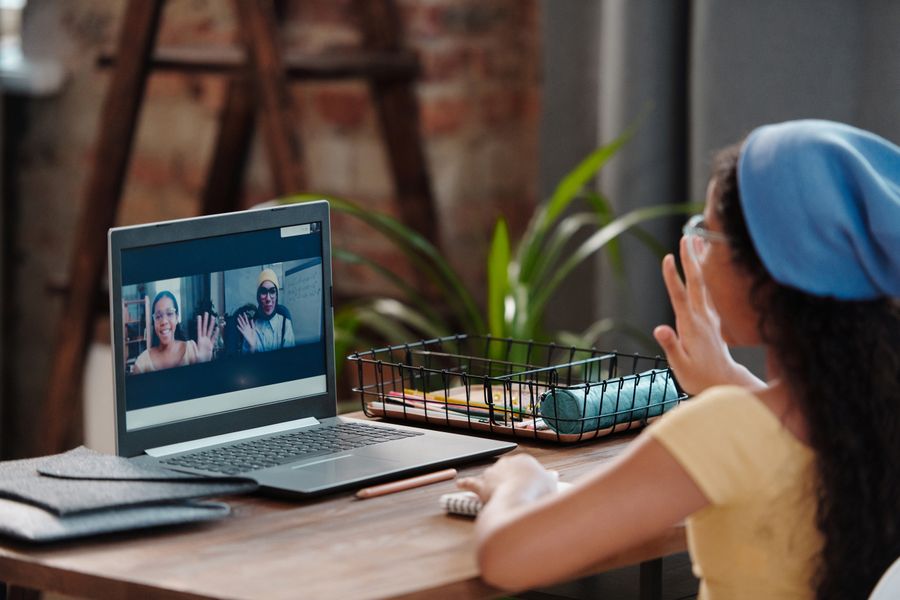
You cannot audit every app your district uses, but a few moves cover most of the risk. My advice is to treat it like any other permission you would not hand a stranger.
- Ask the school for its approved-app list and data-privacy policy. Many districts publish a vendor list; if yours does not, request it in writing.
- Check app permissions on the device. Turn off camera, microphone, location, and contacts access for any app that does not clearly need them.
- Look up the app before you trust it. Search its name in Common Sense’s privacy ratings to see how it scored.
- Ask about opting out. You can often decline non-essential or optional tools, or ask that targeted features be turned off.
- Keep school and personal accounts separate. Use the district-managed login for schoolwork rather than a child’s personal email.
What To Know
- 96% of audited school apps shared student data with third parties, and 78% of that sharing went to advertising or analytics firms.
- 68% of the apps sent data to Google and 36% to Apple.
- Only about 26% of edtech products passed independent privacy evaluations.
- Parents are usually left out because districts, not families, adopt the tools.
Frequently Asked Questions
Do classroom apps really sell my child’s data?
Selling and sharing are different, but the sharing is near-universal: 96% of audited school apps sent data to third parties, and most of that went to advertising and analytics companies. Whether that counts as a “sale” depends on the vendor and your state’s law, which is part of why it is hard to track.
What information do school apps collect?
It ranges from names and school emails to device identifiers, location, and detailed behavioral data about how a student uses the app. The exact set depends on the product, which is why checking a specific app’s privacy rating matters more than a general assumption.
Isn’t student data protected by law?
Partly. FERPA covers education records and COPPA covers under-13 data, and more than 130 state laws add rules. But the 96% sharing figure shows the gap between what the law intends and what actually happens, so legal protection is not the same as being safe by default.
Can I opt my child out of a school app?
Sometimes. Essential tools tied to instruction are hard to skip, but many districts allow you to decline optional apps or disable targeted features. Ask the school directly and in writing, and request an alternative if one exists.
How do I check whether a specific app is safe?
Search the app on Common Sense Media’s privacy ratings, review the permissions it requests on the device, and read the vendor’s policy for any mention of advertising or third-party sharing. If it wants access it does not need, that is your signal to ask the school about it.
What This Means
Classroom technology brings real benefits, so the takeaway is not to rip it out. The problem is that data sharing runs by default and the system leaves parents out of the decision. You do not need to fight every app, but you should treat a new school tool the way you would any request for your child’s information: ask who gets it, check the permissions, and look up the rating before you assume it is fine. For more on schools and learning, browse Visboo’s Education section, and for device and app safety, our Technology coverage.