The smart TV privacy argument has quietly changed shape. The loud question was whether the TV is spying on you. The more practical one, and the one owners keep raising, is why turning the tracking off takes a scavenger hunt through the settings menu.
After a viral investigation and a firm denial from LG, the debate over smart TV privacy did not end; it moved. The new front is not the contested audio claims but the controls themselves. Owners increasingly argue that even where tracking is optional, it is buried deep enough that “opt-in” starts to feel like a technicality. Here is why that critique has teeth and what people are actually demanding.
The Short Version
Much of the smart TV data collection can be turned off, but critics say the settings are hard to find and worded in ways most people will not parse, which blunts the value of “off by default.” The demand now is for clearer, simpler privacy controls: obvious toggles, plain-language labels, and transparency about what each feature does. LG maintains its features are optional and consented to, while owners push for controls that a normal person can find and understand in under a minute. You can still turn the tracking off today, but the fight is about making that easy.
From “Is It Spying?” to “Why Is It So Hard to Turn Off?”
The original controversy, which we covered in our explainer on the LG claims, was about what the TV does. LG’s response, which we broke down point by point, denied the surveillance framing. Both of those are about capability. The controls debate is about usability, and it applies even if you take LG entirely at its word: a feature you cannot easily find is a feature you cannot easily refuse.
The Buried-Menu Problem
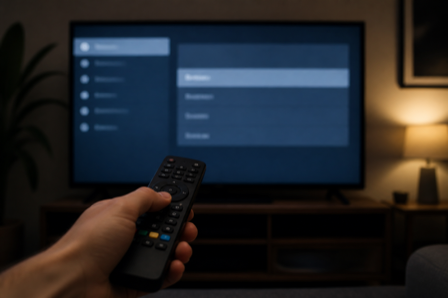
Turning off content tracking on many smart TVs means digging several layers into settings, past submenus with names that do not obviously say “stop tracking me.” The feature that fingerprints what you watch is often labeled something neutral, and the ad and data options sit in different places. For a determined user with a guide, it takes a couple of minutes. For everyone else, it may as well not exist, which is the core of the complaint.
“Opt-In” vs. Dark Patterns
This is where reasonable people disagree. Manufacturers point out that key tracking features are off by default and require consent, which is genuinely better than the alternative. Critics counter that consent buried in setup screens, or an off switch hidden four menus deep, is a weak form of choice, closer to a dark pattern than a real option. The truth sits in between: “off by default” is meaningful, and “impossible to find” undercuts it. Consumer advocates have long argued smart TV privacy controls should be as prominent as the features they govern, a point Consumer Reports has made in its guidance on disabling TV tracking.
What Owners Are Demanding
The asks are concrete and, frankly, modest:
- Clear, plainly labeled toggles, not neutral names that hide what a feature does.
- A single, obvious privacy screen instead of settings scattered across menus.
- Transparency about what each feature collects and where the data goes.
- Firmware updates that make controls easier to reach, rather than easier to overlook.
None of this asks a manufacturer to remove features. It asks them to make refusing those features as easy as accepting them.
What You Can Do Right Now
While the debate plays out, you do not have to wait. On most LG webOS TVs you can turn off the content-recognition feature, delete your viewing data, and limit ad tracking in settings, and the surest option is keeping the TV off the internet entirely and using a separate streaming device. Our step-by-step guide covers the exact paths. For more on connected-device privacy, browse Visboo’s Technology section.
Frequently Asked Questions
Can I turn off smart TV tracking, or not?
You generally can. Features like content recognition can be disabled, viewing data deleted, and ad tracking limited in settings. The complaint is not that it is impossible, but that the controls are buried and unclearly labeled, which makes opting out harder than it should be.
What is the “dark pattern” criticism about?
Critics argue that when an off switch is hidden deep in menus or consent is tucked into setup screens, the technically-optional feature is effectively hard to refuse. That design nudge toward the default is what they call a dark pattern, even if the feature is off by default.
What are owners asking manufacturers to change?
Clearer, plainly labeled toggles, a single obvious privacy screen, transparency about what data is collected, and firmware updates that make controls easier to find. The requests focus on usability, not on removing features.
Does “off by default” solve the problem?
Partly. Off by default is genuinely better than on by default, but if re-enabling or checking the setting is confusing and the controls are hard to locate, many users never engage with them at all. That is why advocates want prominence rather than only a default.
What is the most reliable way to stop TV tracking?
Keeping the TV off the internet and using a separate streaming stick removes most data collection at the source. Short of that, turning off content recognition, clearing viewing data, and limiting ad tracking in settings covers what you can control.
What To Know
The privacy fight over smart TVs is maturing from accusation into a usability demand, and that is progress of a sort. Whether or not you believe the most alarming claims, “you can turn it off if you can find it” is a low bar, and owners are right to want it raised. Until controls get simpler, treat the settings menu as worth a five-minute visit, and remember the strongest privacy switch is still the network cable you never plug in.