Skip to content
Visboo
 
  • Home
  • Contact
  • Topics
    • Technology
    • Business
    • Education
    • Home Improvement
    • Finance
    • Health
    • Lifestyle
    • Entertainment
    • Autos
    • Law
    • Travel
    • Family & Personal
  • More
    • Menu
    Visboo
     
    • Search
    Entertainment

    9 Signs a Streaming App Is Enforcing Household Rules

    by Olivia CarterOctober 15, 2026September 24, 2026 0
    • 0 Shares
      Share
    • Tweet
    • Pin it
    • Share
    • Email
    • More
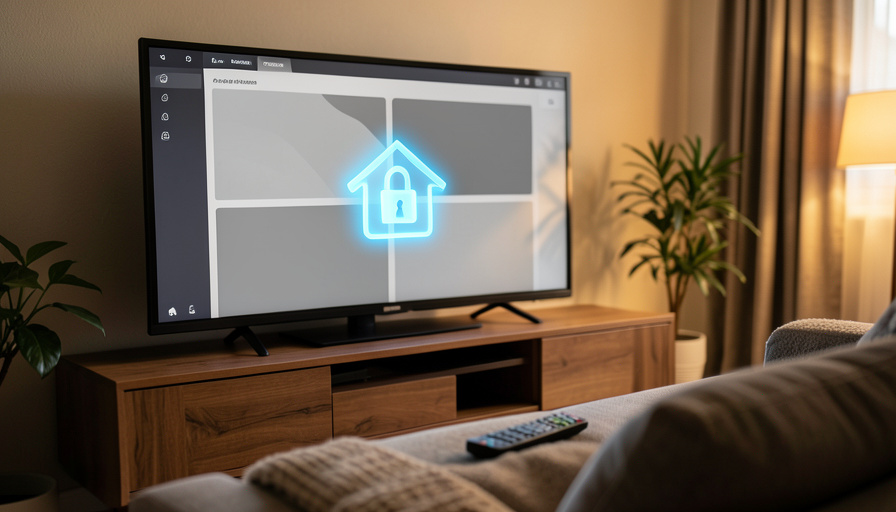
    A living room TV showing an abstract streaming grid with a glowing house-and-lock icon, and a remote on the couch

    Your show cuts out, or the app boots you off a TV that worked fine yesterday, and you assume something broke. It usually did not. In 2026 the streaming crackdown is in full swing, with Netflix the strictest, Max enforcing across the US, and Disney+ and Hulu tightening too. What looks like a bug is often the service deciding your device is not part of the paying household. Learning to spot the difference saves you an hour of pointless troubleshooting.

    These services now use your IP address, device IDs, and account activity to work out who lives under one roof. When something you do trips that system, you get a specific set of prompts and blocks. Here are nine signs your streaming app is enforcing household rules, what each one means, and the legitimate ways to fix it.

    The three clearest signs:

    1. A sudden logout. A device that always worked is signed out with no app update or outage to blame.
    2. A household prompt. A message says your device is not part of the account’s household.
    3. An email code request. You are told to enter a code sent to the account owner’s email to keep watching.

    Quick Scan: The 9 Signs

    The sign What it means
    Sudden device logoutYour device was flagged as outside the household
    “Not part of household” promptDirect household enforcement message
    Email-code verificationConfirming you are in the owner’s household
    Travel access countdownTemporary permission for a device away from home
    “Set your household” on TVTying the account to a home location
    Paid extra-member offerThe monetized path for outside viewers
    Playback blocked until verifiedA household check gating your stream
    New device or stream limitsTighter caps on concurrent use
    VPN or new-network blockIP-based household detection triggered

    Table of Contents

    Toggle
    • Quick Scan: The 9 Signs
    • Why This Is Happening Now
    • 1. A Device That Always Worked Suddenly Gets Signed Out
    • 2. A “This Device Isn’t Part of Your Household” Message Appears
    • 3. You’re Asked to Verify With a Code Sent to the Owner’s Email
    • 4. A Temporary “Travel” Access Prompt With a Countdown
    • 5. The App Tells You to Set Your Household From the Main TV
    • 6. You’re Offered a Paid “Extra Member” Add-On
    • 7. Playback Is Blocked Until You Confirm the Household
    • 8. You Suddenly Hit “Too Many Devices” or Stream Limits
    • 9. A VPN or New Network Triggers a Block
    • How We Chose These
    • The Bottom Line
    • Frequently Asked Questions
      • What are the signs a streaming app is enforcing household rules?
      • What counts as a household for streaming services?
      • Why does my streaming app keep logging me out on one TV?
      • Can I still share my streaming account with family in 2026?
      • Does using a VPN help with streaming household rules?

    Why This Is Happening Now

    After years of tolerating shared passwords, the big services reversed course. Netflix led the way and now defines your household as the primary location where your devices connect to the internet, verified through a mix of IP addresses, device IDs, and account activity. Max followed with US enforcement, and Disney+ and Hulu have tightened their own rules. The result, as coverage of the 2026 crackdown notes, is that ordinary, honest use can trip a flag: a college kid at a dorm, a partner who travels, or a second home can all look like sharing to the algorithm.

    The signs below help you tell enforcement from an actual fault, so you stop rebooting your router and start using the right fix.

    Three people watching a movie together on a couch in a dim living room
    Services now try to define a single “household,” which does not always match how real families and roommates actually watch.

    1. A Device That Always Worked Suddenly Gets Signed Out

    You open the app on the same TV you have used for a year, and you are logged out for no obvious reason, with no app update or service outage behind it. That abrupt, unexplained sign-out on a familiar device is often the first sign the service has flagged it as outside the household. What to do: sign back in and watch for a verification prompt, which confirms the household system is the cause.

    2. A “This Device Isn’t Part of Your Household” Message Appears

    This is the unmistakable one. A full-screen message tells you the device is not part of the account’s household and asks you to verify or update it. There is no ambiguity here: the service is directly enforcing its rules. What to do: if you genuinely live in the household, follow the on-screen steps to verify. If you are a separate household sharing an account, this is the service asking you to either get your own or be added as a paid member.

    A hand holding a remote pointed at a blurred streaming interface on a TV
    The household prompt usually appears right on the TV, where the service also lets the account owner set the home location.

    3. You’re Asked to Verify With a Code Sent to the Owner’s Email

    To confirm you belong to the household, the app asks for a code or link sent to the account holder’s email or phone. On Netflix, updating a household is done through the TV app using a code sent to the owner. What to do: if you are in the same household, get the code from the account owner and enter it. If you are far from the owner and cannot get the code easily, that distance is exactly the separation the system is designed to catch.

    4. A Temporary “Travel” Access Prompt With a Countdown

    Sometimes instead of a hard block you get a temporary pass: the app grants access for a limited number of days, often with a visible countdown, before it will ask you to verify again. This is the service accommodating genuine travel while still tracking that the device is away from the home location. What to do: use the temporary window if you are genuinely traveling, and expect to re-verify when it ends or when you return home.

    A hand holding a phone showing streaming app icons with a TV of apps behind it
    Enforcement varies by service, so the same account can behave differently across Netflix, Max, and Disney+.

    5. The App Tells You to Set Your Household From the Main TV

    A prompt may instruct the account owner to set or confirm the household from the primary television at home. This ties the account to the home network, and any device that connects there is treated as part of the household. What to do: the account owner should complete this step on the home TV. Devices used regularly at that address will then generally stop being challenged, while ones far away will keep getting flagged.

    6. You’re Offered a Paid “Extra Member” Add-On

    Rather than simply blocking an outside viewer, the service offers a way to keep them: a paid extra-member slot. On Netflix this runs $7.99 a month with ads or $9.99 without, with a Standard plan allowing one extra member and Premium allowing two. Max offers a similar add-on. What to do: if you want to keep sharing with someone in a different home, the extra-member slot is the sanctioned route, and it is cheaper than a second full subscription for a single viewer.

    7. Playback Is Blocked Until You Confirm the Household

    You press play and, instead of your show, you get a verification wall that will not let you watch until you confirm the household. This is enforcement mid-session rather than at sign-in, and it is deliberately inconvenient. What to do: complete the verification if you are a household member. If the block keeps returning on a device that lives at the account’s home address, make sure the household has been set from that home TV, as in the sign above.

    A woman lounging on a couch holding a TV remote control
    A verification wall mid-show is enforcement by design. The fix is to confirm the household, not to keep restarting.

    8. You Suddenly Hit “Too Many Devices” or Stream Limits

    An account that comfortably ran several streams starts throwing “too many devices” or simultaneous-stream errors. Tighter enforcement often comes alongside stricter limits on how many devices and streams a single household can use at once. What to do: check your plan’s stream limit, sign out of devices you no longer use, and recognize that if several separate homes were leaning on one account, the service is now capping that.

    9. A VPN or New Network Triggers a Block

    Everything works at home, then you connect through a VPN or a different network and suddenly hit a household challenge or a block. Because the system leans heavily on IP address to judge location, an unfamiliar network can read as a device outside the household. What to do: for legitimate home viewing, connect through your normal home network rather than a VPN, since routing your traffic elsewhere can make your own device look like an outsider.

    How We Chose These

    We focused on the observable signals a normal viewer actually runs into, then tied each one to the household-enforcement mechanism behind it, so a confusing block turns into a clear next step. The specifics reflect current 2026 policies at the major services, with Netflix as the strictest reference point and Max, Disney+, and Hulu applying their own versions. We prioritized signs that distinguish enforcement from a genuine technical fault, and paired each with a legitimate response, whether that is verifying a real household, using travel access, or adding a paid member, rather than any attempt to evade the rules.

    The Bottom Line

    If a streaming app logs you out, throws a household message, or demands a code you cannot easily get, you are seeing enforcement rather than a bug, and no amount of restarting will fix it. Confirm your household from your home TV if you genuinely live there, use the travel window when you are away, and if you share with a separate home, decide between a paid extra-member slot and a second account. Knowing the signs turns a frustrating mystery into a five-minute decision.

    For more on streaming account headaches, see our guide to streaming subscription dark patterns and your rights, and browse more in our entertainment section.

    Frequently Asked Questions

    What are the signs a streaming app is enforcing household rules?

    The clearest signs are a sudden logout on a device that always worked, an on-screen message saying your device is not part of the household, and a request to enter a code sent to the account owner’s email. Others include a travel-access countdown, a prompt to set your household from the main TV, a paid extra-member offer, playback blocked until you verify, new device limits, and blocks triggered by a VPN or unfamiliar network.

    What counts as a household for streaming services?

    Most services, led by Netflix, define a household as the primary location where your devices connect to the internet, essentially your home and its network. They verify it using a combination of IP addresses, device IDs, and account activity. Devices that regularly connect at that home address are treated as part of the household, while devices in other locations get challenged.

    Why does my streaming app keep logging me out on one TV?

    If a single TV keeps signing you out with no app update or outage to explain it, the service may be flagging it as outside the household. Make sure the account owner has set the household from the home TV on the home network. If the TV genuinely lives at that address and still gets challenged, contact the service, since persistent enforcement on a home device can be a settings issue.

    Can I still share my streaming account with family in 2026?

    Yes, within limits. People who live in the same household, on the same home network, can share freely. For family or friends in a different home, the sanctioned option is a paid extra-member slot, which costs less than a full second subscription for one viewer. Sharing across separate households without paying is what the current enforcement is designed to stop.

    Does using a VPN help with streaming household rules?

    Generally no, and it can make things worse. Because services judge your location partly by IP address, routing your traffic through a VPN can make your own home device look like it is somewhere else, triggering a household challenge you would not otherwise get. For normal home viewing, your regular home network is the most reliable way to stay recognized as part of the household.

    Tagged: Account Security Household Rules Netflix Password Sharing Streaming
    About the Author

    Olivia Carter

    Olivia Carter is an education specialist who has worked with online learning platforms and curriculum development teams. She writes about modern education trends, digital learning, and career-focused skill building.

    Related Stories

    A smartphone glowing with a padlock icon on a dark desk, a faint cloud shape above it and a blurred laptop behind

    Authenticator App Backup Failures: What the 2026 Data Shows

    October 12, 2026September 24, 2026
    A smartphone showing a security shield with a cloud backup icon and a hardware security key on a desk

    10 Authenticator App Alternatives With Better Phone-Loss Recovery

    October 10, 2026September 23, 2026
    A person setting up a new smartphone with an older phone resting on the desk beside them

    Passkey Lockouts After a Phone Upgrade: The Real Data

    October 9, 2026September 23, 2026
    A traveler in an airport terminal looking concerned at a smartphone with a suitcase beside them

    Why Switching to a Travel eSIM Breaks Your 2FA

    October 7, 2026September 23, 2026
    An empty television talk-show set with two facing chairs under studio lights

    Why Late-Night Interviews Are Moving From TV to YouTube

    September 20, 2026September 15, 2026
    A TV remote, a credit card, and a paper maze arranged on a dark surface

    Are ‘Sticky’ Streaming Subscriptions Legal? Your Rights, Explained

    September 17, 2026September 15, 2026

    Leave a Reply Cancel reply

    You must be logged in to post a comment.

    Read Next

    How the Statistical Revolution Changed Soccer Betting

    How the Statistical Revolution Changed Soccer Betting

    October 6, 2026October 7, 2026

    Gambling on soccer once meant reading the sports pages, listening to pre-match chatter, trusting pundits and gut feelings. Then data quietly moved in. Match reports expanded.

    An empty cinema auditorium with red seats facing a blank glowing screen

    Fans Want the Hit Film ‘GOAT’ Back in Theaters

    October 1, 2026September 15, 2026

    ‘GOAT’ was one of 2026’s surprise animated hits, and now that it is streaming, fans are lobbying for a return to the big screen. Here is why, and what a theatrical re-release would take.

    Two different coffee cups side by side on a table, a playful pairing concept

    The ‘Iconic Duo’ Meme Is Back, With a Twist

    October 1, 2026September 15, 2026

    The ‘name a more iconic duo’ meme is flooding feeds again, but this time with a knowing edge: fans are reassessing whether famous on-screen pairs were ever as close as we assumed.

    A phone showing a blurred ticket-resale seat map beside a credit card and coffee cup

    Becky’s Concert Sold Out. Now Watch for Ticket Scams

    September 29, 2026September 15, 2026

    The moment a concert sells out, scammers move in. With Becky’s Runaway show gone, fans are being targeted by fake resale listings. Here is how to spot and avoid them.

    More

    Recent Articles

    A smartphone on a desk showing a news feed with a glowing location pin above it, beside coffee and reading glasses

    Apple News+ vs Google News for Local Alerts

    A smartphone showing a donation app with a heart icon, viewed through a magnifying glass held over the screen

    11 Scam Checks to Run Before You Donate After a Disaster

    A smartphone and a boarding pass on an airport bench with a plane visible through the window

    10 Basic Economy Exceptions That Still Allow Changes or Credits

    A pair of white true wireless earbuds with an open charging case on a dark desk, one earbud sitting apart

    9 Bluetooth Problems That Cause One Earbud to Stop Working

    A laptop showing an abstract workspace with a glowing blue shield-and-lock icon floating above the screen

    7 Notion Alternatives With Safer Permissions for Teams

    An open suitcase with folded clothes, a rolled towel, and toiletries, with a smartphone showing a checklist resting on top

    12 Packing List Apps That Beat Notes for Multi-City Trips

    A smartphone showing a glowing padlock icon on a dark desk with a brass key resting beside it

    Apple Recovery Key vs Recovery Contact: Which Prevents Lockout

    A USB-C cable plugged into the side port of a laptop with a soft blue power glow around the connector

    7 Signs a USB-C Cable Won’t Fully Power Your Laptop

    A hand holding a magnifying glass up to a car's dashboard instrument cluster in low light

    10 Odometer Fraud Clues in Used-Car Listing Photos

    House keys with a small house-shaped keychain on a wooden table in a cozy apartment living room

    Do You Have to List a Roommate on Renters Insurance?

    A bright freelancer desk seen from above with a laptop, calculator, notepad, and coffee

    7 QuickBooks Alternatives for Invoicing Without the Full Suite

    A hand holding a smartphone showing a grid of photo thumbnails with a glowing cloud and upward arrow above the screen

    How to Move iCloud Photos to Google Photos on a Full iPhone

    A smartphone glowing with a padlock icon on a dark desk, a faint cloud shape above it and a blurred laptop behind

    Authenticator App Backup Failures: What the 2026 Data Shows

    A warm study desk with an open blank notebook, a pencil, a smartphone, coffee, and reading glasses by a sunlit window

    8 Language Learning App Alternatives That Explain Grammar Like a Tutor

    A person examining a smartphone closely with a skeptical expression while inspecting a headline card

    12 Signs a Viral Headline Screenshot Was Edited

    Recent Comments

    • Help With Law Coursework on Benefits Of Digital Citizenship For Students
    • mTouchlabs on How to Create An Educational App From Scratch
    • Web Development on The Rise Of Artificial Intelligence: Prospects and Potential Threats
    • mekvahan on Never hesitate to service your vehicle- here are the facts
    • Maniha shah on How E-learning helps Achieving Academic Objectives?
    • Qdesq on Benefits Of Having A Virtual Office Space
    • Sekhar Sahu on 5 Modern Study Table Designs to Enhance Your Home
    • coca on 5 Design Tips for Elegant Kitchen Remodeling That You’ll Love in 2020
    • T1000 on Ads Supply Review – A Self-Service Advertising Platform
    • Techolas on Software Testing: What is It and Why You Should Be There
    #techreviews

    Topics

    • Autos
    • Business
    • Education
    • Entertainment
    • Family & Personal
    • Finance
    • Health
    • Home Improvement
    • Law
    • Lifestyle
    • News
    • Technology
    • Travel

    Archives

    • October 2026
    • September 2026
    • June 2026
    • April 2026
    • January 2025
    • June 2023
    • May 2023
    • March 2023
    • February 2023
    • January 2023
    • December 2022
    • November 2022
    • October 2022
    • September 2022
    • August 2022
    • July 2022
    • June 2022
    • May 2022
    • April 2022
    • March 2022
    • February 2022
    • January 2022
    • December 2021
    • November 2021
    • October 2021
    • September 2021
    • August 2021
    • July 2021
    • June 2021
    • May 2021
    • April 2021
    • March 2021
    • February 2021
    • January 2021
    • December 2020
    • November 2020
    • October 2020
    • September 2020
    • August 2020
    • July 2020
    • June 2020
    • May 2020
    • April 2020
    • March 2020
    • February 2020
    • January 2020
    • December 2019
    • November 2019
    • October 2019
    • September 2019
    • August 2019
    • July 2019
    • June 2019
    • May 2019
    • April 2019
    • March 2019
    • February 2019
    • January 2019
    • December 2018
    • November 2018
    • October 2018
    • September 2018
    • July 2018
    • June 2018
    • May 2018
    • April 2018
    • March 2018
    • February 2018
    • January 2018
    • December 2017
    • November 2017
    • October 2017
    • September 2017
    • August 2017
    • July 2017
    • June 2017
    • May 2017
    • April 2017
    • March 2017
    • February 2017
    • January 2017
    • December 2016
    • November 2016
    • October 2016
    • September 2016
    • August 2016
    • July 2016
    • June 2016
    • May 2016
    • April 2016
    • March 2016
    • February 2016
    • January 2016
    • December 2015
    • November 2015
    • October 2015
    • September 2015
    • August 2015
    • July 2015
    • June 2015
    • May 2015
    • April 2015
    • March 2015
    • February 2015
    • January 2015
    • December 2014
    • June 2014
    • March 2013
    • February 2013

    Pages

    • Home
    • Contact

    Search

    Useful Sites

    • RunCloud
    • XE

    Stay Updated

    • Youtube
    [mc4wp_form id="2880"]

    Recent

    • 9 Signs a Streaming App Is Enforcing Household Rules
    • Apple News+ vs Google News for Local Alerts
    • 11 Scam Checks to Run Before You Donate After a Disaster
    • 10 Basic Economy Exceptions That Still Allow Changes or Credits
    • 9 Bluetooth Problems That Cause One Earbud to Stop Working
    • 7 Notion Alternatives With Safer Permissions for Teams
    • 12 Packing List Apps That Beat Notes for Multi-City Trips
    • Apple Recovery Key vs Recovery Contact: Which Prevents Lockout
    • 7 Signs a USB-C Cable Won’t Fully Power Your Laptop
    © Copyright 2026 by Visboo. All Rights Reserved.
    Go to mobile version