Skip to content
Visboo
 
  • Home
  • Contact
  • Topics
    • Technology
    • Business
    • Education
    • Home Improvement
    • Finance
    • Health
    • Lifestyle
    • Entertainment
    • Autos
    • Law
    • Travel
    • Family & Personal
  • More
    • Menu
    Visboo
     
    • Search
    Technology

    Apple Recovery Key vs Recovery Contact: Which Prevents Lockout

    by Aarav DeshmukhOctober 13, 2026September 24, 2026 0
    • 0 Shares
      Share
    • Tweet
    • Pin it
    • Share
    • Email
    • More
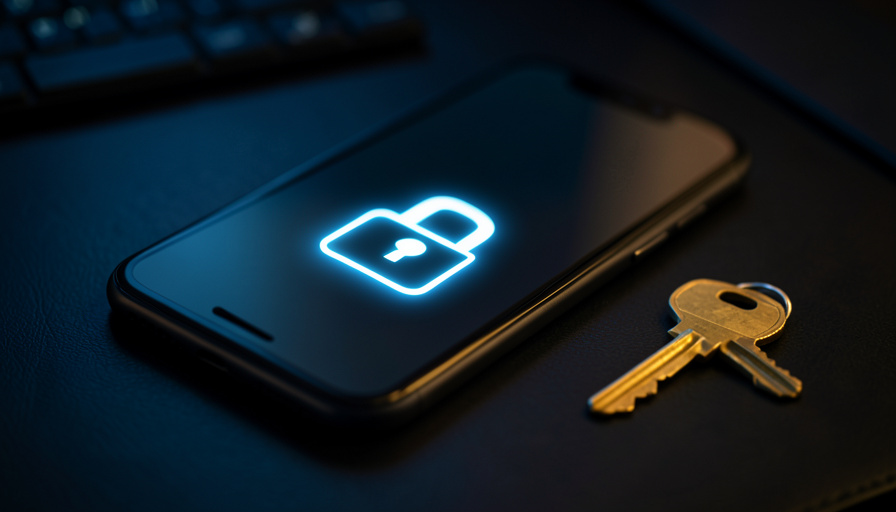
    A smartphone showing a glowing padlock icon on a dark desk with a brass key resting beside it

    Apple gives you two entirely different tools to protect your account, and people constantly confuse them. A recovery key is a code you hold that locks attackers out. A recovery contact is a trusted person who can help you back in. The dangerous mix-up is assuming a recovery key keeps you safe from lockout, when it can actually be the thing that locks you out forever.

    If you have ever read a horror story about someone losing years of photos because they could not get back into their Apple Account, a misused recovery key is often the reason. Here is exactly how the two features differ, which one guards against permanent lockout, and why the right answer for most people is to set up both.

    The Short Answer

    A recovery contact is the better safeguard against permanent lockout, because it gives you a human fallback when everything else fails. A recovery key does the opposite: it hardens your account against attackers but turns off Apple’s standard recovery process, so losing the key can lock you out for good. They solve different problems. The strongest setup is a recovery key for security plus recovery contacts as your safety net.

    Quick Comparison: Recovery Key vs Recovery Contact

    Recovery Key Recovery Contact
    What it isA 28-character code you store yourselfA trusted person who can generate a code for you
    Main benefitBlocks attackers from resetting your accountHelps you regain access if you get locked out
    Effect on recoveryTurns off Apple’s standard account recoveryAdds a fallback without turning anything off
    Lockout riskHigh if you lose the key and your devicesLow; it exists to reduce lockout
    Best forHigh-security users who manage keys carefullyAlmost everyone as a safety net

    Table of Contents

    Toggle
    • The Short Answer
    • Quick Comparison: Recovery Key vs Recovery Contact
    • What a Recovery Key Actually Does
    • What a Recovery Contact Actually Does
    • Head to Head: Where They Differ
    • The Real Answer: Use Both, Deliberately
    • How We Compared Them
    • The Bottom Line
    • Frequently Asked Questions
      • Apple ID recovery key vs recovery contact: which is better?
      • Can a recovery key lock me out of my Apple Account?
      • Does a recovery contact see my data or photos?
      • Do I need Advanced Data Protection to use these?
      • What happens if I lose my recovery key and have no recovery contact?

    What a Recovery Key Actually Does

    A recovery key is a randomly generated 28-character code that you create and store yourself. Once you turn it on, resetting your Apple Account password requires that key plus a trusted device or trusted phone number. That is powerful protection, because it means no one can talk Apple Support into resetting your account without the code, which shuts down a common account-takeover route.

    Here is the catch that traps people. When you turn on a recovery key, you turn off Apple’s standard account recovery process, as Apple’s own documentation warns. If you later lose the key and cannot reach a trusted device, there is no waiting-period fallback to save you. You are locked out permanently. The security that keeps attackers out keeps you out too if you are careless with the code.

    A smartphone wrapped in a chain with a combination padlock on a dark table
    A recovery key locks the account down hard. That protection cuts both ways if you lose the code.

    What a Recovery Contact Actually Does

    A recovery contact is a person you trust, running a recent iPhone, iPad, or Mac, whom you designate to help you get back in. If you are ever locked out, that person opens their device, generates a six-digit recovery code, and reads it to you. You enter it and regain access.

    The reassuring part is what a recovery contact cannot do. They never gain access to your account, your photos, your messages, or your data. Their device only produces a one-time code when you need one. You can add more than one contact, so a lost or unreachable person is not a single point of failure. It is a safety net that adds a way back in without weakening anything.

    Two people smiling and looking at a smartphone together
    A recovery contact is a trusted person who can generate a code for you, without ever seeing your data.

    Head to Head: Where They Differ

    Security against attackers. The recovery key wins clearly. It removes the human-support reset path that scammers exploit, so a thief who has your passcode still cannot wrestle the account away without your key. A recovery contact does not harden the account against takeover in the same way.

    Protection against lockout. The recovery contact wins, and it is not close. Its entire job is to give you a way back in. The recovery key moves in the opposite direction by disabling standard recovery, which is why so many permanent-lockout stories start with a key that got lost.

    Setup and requirements. A recovery key is a code you generate once and must store somewhere safe and lasting, like a password manager or a printed copy in a drawer. A recovery contact requires a person you trust who has an Apple device and is willing to help, and both of you need reasonably current software for the feature to work.

    Failure modes. A recovery key fails when you lose the code and your trusted devices at the same time, and that failure is final. A recovery contact fails only if the person is unreachable, unwilling, or has lost their own device, which is why more than one contact is wise.

    An overhead view of a stressed person with their head in their hands at a desk with a laptop
    Permanent lockout stories usually trace back to a recovery key that was lost with no other way in.

    The Real Answer: Use Both, Deliberately

    Framing this as a either-or choice is the mistake. For most people the right setup is both, arranged so each covers the other’s weakness. Turn on a recovery key for the security benefit, then add one or more recovery contacts so a lost key never means the end of your account.

    This matters even more if you use Advanced Data Protection, Apple’s end-to-end encryption for iCloud. Turning it on requires at least one recovery method, and Apple lets you set up both a recovery key and a recovery contact together. When you do, you can use either one to regain access, which is exactly the belt-and-suspenders approach a locked-down account needs. If managing a 28-character code sounds like a liability you will not keep up with, skip the key, keep Apple’s standard recovery, and lean on recovery contacts instead.

    A person writing on a sticky note attached to a laptop
    If you enable a recovery key, store it somewhere durable. A note you will lose is worse than no key at all.

    How We Compared Them

    We judged both features on the two jobs people actually care about: keeping attackers out and keeping yourself in. The technical details come from Apple’s official support documentation on recovery keys and recovery contacts, including the fact that a recovery key disables standard account recovery. We weighed real failure modes reported by locked-out users, prioritized what a normal person can set up and maintain, and focused on prevention rather than the painful cure. This is general guidance, so confirm the current steps on Apple’s support pages before you change your account settings.

    The Bottom Line

    If you only remember one thing: a recovery contact protects you from lockout, and a recovery key protects you from attackers. The recovery key is the one that can lock you out permanently, so never enable it without a backup plan. For most people, the answer to “which prevents permanent lockout” is the recovery contact, and the smartest move is to set up both so security and access reinforce each other instead of fighting. Add your contacts today, and if you keep a recovery key, store it somewhere you will still find in five years.

    For related reading, see our data on how often people get locked out after a phone upgrade, and browse more in our technology section.

    Frequently Asked Questions

    Apple ID recovery key vs recovery contact: which is better?

    Neither is better on its own, because they do different jobs. A recovery key hardens your account against attackers but disables Apple’s standard recovery, raising your lockout risk. A recovery contact is a trusted person who can help you back in, which lowers lockout risk. For most people the best setup is both, with contacts as the safety net for the key.

    Can a recovery key lock me out of my Apple Account?

    Yes, and this is the most important thing to understand. Turning on a recovery key turns off Apple’s standard account recovery. If you lose the 28-character key and cannot reach a trusted device or phone number, there is no fallback, and you can be locked out permanently. Always store the key somewhere durable and add a recovery contact as backup.

    Does a recovery contact see my data or photos?

    No. A recovery contact can only generate a one-time six-digit code to help you regain access. They never get into your account and never see your photos, messages, files, or passwords. It is one of the safest recovery options because it adds a way back in without granting anyone access to your information.

    Do I need Advanced Data Protection to use these?

    No, both features work without it, but Advanced Data Protection requires you to set up at least one recovery method. If you enable that end-to-end encryption and configure both a recovery key and a recovery contact, you can use either one to regain access, which is the safest arrangement for a fully encrypted account.

    What happens if I lose my recovery key and have no recovery contact?

    If a recovery key is active and you lose it while also losing access to your trusted devices and phone number, you will likely be locked out of your Apple Account for good, with no way for Apple to restore it. This is the exact scenario recovery contacts exist to prevent, which is why setting one up is strongly recommended.


    Tagged: Account Recovery Apple ID Recovery Contact Recovery Key security
    About the Author

    Aarav Deshmukh

    Aarav Deshmukh is a technology writer and gadget reviewer who follows AI, smartphones, and everyday digital tools with a practical eye. He focuses on helping readers understand what new tech actually changes in daily life.

    Related Stories

    A modern flat-screen television on a wall in a bright living room

    What LG’s Statement Actually Says About Smart TV Privacy

    September 17, 2026September 15, 2026
    A wall-mounted smart TV glowing in a dark living room with faint network connection lines

    LG Smart TV Privacy Claims: What’s Proven, and How to Opt Out

    September 15, 2026September 15, 2026

    How to Protect Your Business From a Ransomware Attack

    February 17, 2023
    Technological Services That Boost Business Security

    Technological Services That Boost Business Security

    January 11, 2021January 20, 2021

    Leave a Reply Cancel reply

    You must be logged in to post a comment.

    Read Next

    A USB-C cable plugged into the side port of a laptop with a soft blue power glow around the connector

    7 Signs a USB-C Cable Won’t Fully Power Your Laptop

    October 13, 2026September 24, 2026

    Slow charging and ‘plugged in, not charging’ usually trace back to the cable, not the charger. Here are seven signs your USB-C cable can’t move enough watts, and how to confirm it.

    A hand holding a smartphone showing a grid of photo thumbnails with a glowing cloud and upward arrow above the screen

    How to Move iCloud Photos to Google Photos on a Full iPhone

    October 12, 2026September 24, 2026

    When your iPhone has no room left, you cannot download your library to move it. Apple’s server-to-server transfer copies iCloud Photos straight to Google Photos without touching your phone.

    A smartphone glowing with a padlock icon on a dark desk, a faint cloud shape above it and a blurred laptop behind

    Authenticator App Backup Failures: What the 2026 Data Shows

    October 12, 2026September 24, 2026

    No one publishes a clean cloud-sync-versus-manual-export failure rate. Here is the verifiable data on authenticator backups, and the exact ways each method loses your codes.

    A laptop on a desk showing an organized notes app with a folder sidebar and colored tags, beside sticky notes

    11 Google Keep Alternatives With Real Folder/Tag Systems

    October 11, 2026September 23, 2026

    Google Keep is great until you have 200 notes and only colored labels to sort them. These eleven alternatives add real notebooks, folders, and tags, compared on how they organize, their free tiers, and who each suits.

    More

    Recent Articles

    An open suitcase with folded clothes, a rolled towel, and toiletries, with a smartphone showing a checklist resting on top

    12 Packing List Apps That Beat Notes for Multi-City Trips

    A USB-C cable plugged into the side port of a laptop with a soft blue power glow around the connector

    7 Signs a USB-C Cable Won’t Fully Power Your Laptop

    A hand holding a magnifying glass up to a car's dashboard instrument cluster in low light

    10 Odometer Fraud Clues in Used-Car Listing Photos

    House keys with a small house-shaped keychain on a wooden table in a cozy apartment living room

    Do You Have to List a Roommate on Renters Insurance?

    A bright freelancer desk seen from above with a laptop, calculator, notepad, and coffee

    7 QuickBooks Alternatives for Invoicing Without the Full Suite

    A hand holding a smartphone showing a grid of photo thumbnails with a glowing cloud and upward arrow above the screen

    How to Move iCloud Photos to Google Photos on a Full iPhone

    A smartphone glowing with a padlock icon on a dark desk, a faint cloud shape above it and a blurred laptop behind

    Authenticator App Backup Failures: What the 2026 Data Shows

    A warm study desk with an open blank notebook, a pencil, a smartphone, coffee, and reading glasses by a sunlit window

    8 Language Learning App Alternatives That Explain Grammar Like a Tutor

    A person examining a smartphone closely with a skeptical expression while inspecting a headline card

    12 Signs a Viral Headline Screenshot Was Edited

    A parent looking at a phone showing a simple map with location pins while a child sits nearby

    5 Life360 Alternatives Without the Driving Scores

    A laptop on a desk showing an organized notes app with a folder sidebar and colored tags, beside sticky notes

    11 Google Keep Alternatives With Real Folder/Tag Systems

    A person on a couch holding a phone with a hidden score card while a game plays on the TV

    7 Sports Score Apps That Won’t Spoil Games

    A car dashboard touchscreen showing a CarPlay-style app grid with a phone connected by a USB-C cable in the console

    USB-C vs Wireless CarPlay: Fixing Random Disconnects

    A desk with car keys on a vehicle title document beside a stack of official paperwork and a pen

    8 Auto Title Transfer Exceptions That Delay Registration

    A parent and school-age child at a kitchen table reviewing an app permission prompt on a smartphone

    10 Back-to-School App Permissions Parents Should Refuse

    Recent Comments

    • Help With Law Coursework on Benefits Of Digital Citizenship For Students
    • mTouchlabs on How to Create An Educational App From Scratch
    • Web Development on The Rise Of Artificial Intelligence: Prospects and Potential Threats
    • mekvahan on Never hesitate to service your vehicle- here are the facts
    • Maniha shah on How E-learning helps Achieving Academic Objectives?
    • Qdesq on Benefits Of Having A Virtual Office Space
    • Sekhar Sahu on 5 Modern Study Table Designs to Enhance Your Home
    • coca on 5 Design Tips for Elegant Kitchen Remodeling That You’ll Love in 2020
    • T1000 on Ads Supply Review – A Self-Service Advertising Platform
    • Techolas on Software Testing: What is It and Why You Should Be There
    #techreviews

    Topics

    • Autos
    • Business
    • Education
    • Entertainment
    • Family & Personal
    • Finance
    • Health
    • Home Improvement
    • Law
    • Lifestyle
    • News
    • Technology
    • Travel

    Archives

    • October 2026
    • September 2026
    • June 2026
    • April 2026
    • January 2025
    • June 2023
    • May 2023
    • March 2023
    • February 2023
    • January 2023
    • December 2022
    • November 2022
    • October 2022
    • September 2022
    • August 2022
    • July 2022
    • June 2022
    • May 2022
    • April 2022
    • March 2022
    • February 2022
    • January 2022
    • December 2021
    • November 2021
    • October 2021
    • September 2021
    • August 2021
    • July 2021
    • June 2021
    • May 2021
    • April 2021
    • March 2021
    • February 2021
    • January 2021
    • December 2020
    • November 2020
    • October 2020
    • September 2020
    • August 2020
    • July 2020
    • June 2020
    • May 2020
    • April 2020
    • March 2020
    • February 2020
    • January 2020
    • December 2019
    • November 2019
    • October 2019
    • September 2019
    • August 2019
    • July 2019
    • June 2019
    • May 2019
    • April 2019
    • March 2019
    • February 2019
    • January 2019
    • December 2018
    • November 2018
    • October 2018
    • September 2018
    • July 2018
    • June 2018
    • May 2018
    • April 2018
    • March 2018
    • February 2018
    • January 2018
    • December 2017
    • November 2017
    • October 2017
    • September 2017
    • August 2017
    • July 2017
    • June 2017
    • May 2017
    • April 2017
    • March 2017
    • February 2017
    • January 2017
    • December 2016
    • November 2016
    • October 2016
    • September 2016
    • August 2016
    • July 2016
    • June 2016
    • May 2016
    • April 2016
    • March 2016
    • February 2016
    • January 2016
    • December 2015
    • November 2015
    • October 2015
    • September 2015
    • August 2015
    • July 2015
    • June 2015
    • May 2015
    • April 2015
    • March 2015
    • February 2015
    • January 2015
    • December 2014
    • June 2014
    • March 2013
    • February 2013

    Pages

    • Home
    • Contact

    Search

    Useful Sites

    • RunCloud
    • XE

    Stay Updated

    • Youtube
    [mc4wp_form id="2880"]

    Recent

    • 12 Packing List Apps That Beat Notes for Multi-City Trips
    • Apple Recovery Key vs Recovery Contact: Which Prevents Lockout
    • 7 Signs a USB-C Cable Won’t Fully Power Your Laptop
    • 10 Odometer Fraud Clues in Used-Car Listing Photos
    • Do You Have to List a Roommate on Renters Insurance?
    • 7 QuickBooks Alternatives for Invoicing Without the Full Suite
    • How to Move iCloud Photos to Google Photos on a Full iPhone
    • Authenticator App Backup Failures: What the 2026 Data Shows
    • 8 Language Learning App Alternatives That Explain Grammar Like a Tutor
    © Copyright 2026 by Visboo. All Rights Reserved.
    Go to mobile version