Skip to content
Visboo
 
  • Home
  • Contact
  • Topics
    • Technology
    • Business
    • Education
    • Home Improvement
    • Finance
    • Health
    • Lifestyle
    • Entertainment
    • Autos
    • Law
    • Travel
    • Family & Personal
  • More
    • Menu
    Visboo
     
    • Search
    Technology

    Which 2FA Methods Survive an eSIM Carrier Switch

    by Aarav DeshmukhNovember 4, 2026September 25, 2026 0
    • 0 Shares
      Share
    • Tweet
    • Pin it
    • Share
    • Email
    • More
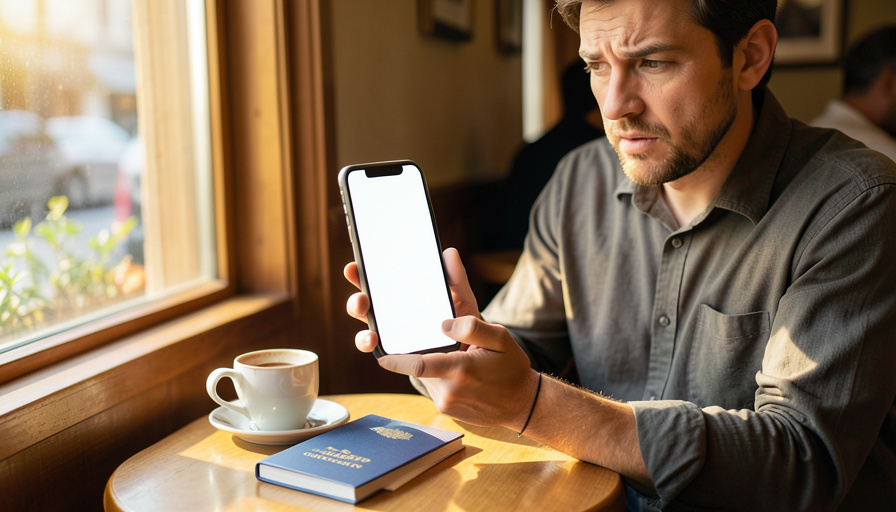
    A concerned traveler at a cafe holding a smartphone with a blank screen beside a passport and coffee

    Search for how often two-factor logins break after an eSIM or carrier switch and you will find plenty of guesses but no trustworthy number, because nobody publishes a reliable breakage rate and, honestly, it was never a game of odds to begin with. Whether your 2FA keeps working when you swap to a travel eSIM or move carriers is not random. It comes down to one thing: which method the account uses to verify you. Some methods depend on your phone number and fail the moment it changes, and others do not care about your SIM at all. So instead of a made-up percentage, here is the deterministic version, a clear map of which 2FA methods survive the switch and which ones leave you locked out.

    The useful takeaway is not a statistic but a rule of thumb: if a login sends a code to your number, switching your number can break it, and if it does not, you are usually fine. Everything below builds on that.

    Why there is no reliable break rate, and a better question

    No one runs a public study counting how many logins fail after people change carriers or add a travel eSIM, so any hard percentage you see is invented or, at best, one company’s internal guess. It also would not tell you much, because the outcome is not a coin flip. It is determined by the type of two-factor you have set up on each account, which is knowable in advance. That makes the honest question not how likely a break is, but which of your accounts use a method that depends on your phone number. Sort your accounts by method and you can predict, account by account, exactly what will happen when you switch.

    A person holding a pink passport wallet with a luggage tag and a smartphone outdoors
    Whether your 2FA survives a carrier switch is not luck. It depends on which method each account uses to verify you.

    Table of Contents

    Toggle
    • Why there is no reliable break rate, and a better question
    • What changes when you switch
    • Methods that break: SMS and voice codes
    • Methods that survive: apps, passkeys, keys, and backup codes
    • The methods compared at a glance
    • The one move that prevents the whole problem

    What changes when you switch

    A carrier or eSIM change alters one thing that matters for logins: your ability to receive a code at your usual phone number. A travel eSIM often gives you a new local number for data and calls while your home line is switched off or set to data-only, so texts to your home number may not reach you. A permanent port to a new carrier can leave a short window where neither line receives messages. And moving to a new phone can drop app-based methods that were tied to the old device. Each of those touches only the methods that rely on the number or the device, which is why the method you use decides everything.

    Methods that break: SMS and voice codes

    The classic casualty is the one-time code sent by text or phone call, because it is delivered to your phone number, and your number is exactly what a carrier switch disrupts. Swap to a travel eSIM with a new number, or hit the gap during a port, and those codes do not arrive, locking you out until your original line is reachable again. This fragility is also why security bodies have cooled on it: the United States standards agency, in its digital identity guidelines, has long discouraged SMS as an out-of-band authenticator, both for switch fragility and because it can be intercepted or hijacked. If an account only offers text codes, treat it as the one most likely to strand you.

    Methods that survive: apps, passkeys, keys, and backup codes

    The reassuring news is that most stronger methods do not care about your SIM at all. An authenticator app generates its codes on the device itself with no carrier in the middle, so it keeps working on any network or eSIM. Passkeys and hardware security keys verify you through your device or a physical key rather than a text, so a number change does nothing to them. Backup or recovery codes, the one-time strings you save when you set up 2FA, work offline and are the classic lifeline for exactly this situation. The one honest caveat is that an authenticator app lives on your device, so if you switch phones without moving it across first, you can lose those codes even though a carrier change alone would not touch them.

    A smartphone wrapped in a metal chain secured with a combination padlock on a dark surface
    Authenticator apps, passkeys, hardware keys, and saved backup codes do not depend on your phone number, so a carrier switch leaves them working.

    The methods compared at a glance

    2FA methodTied to your number?Survives a carrier or eSIM switch?
    SMS text codeYesNo, breaks if the number changes
    Voice call codeYesNo, breaks if the number changes
    Authenticator appNoYes, unless you switch phones without migrating it
    PasskeyNoYes, tied to your device or account
    Hardware security keyNoYes, it is a physical key
    Backup or recovery codesNoYes, they work offline

    The one move that prevents the whole problem

    Since the outcome is set by method, the fix is to change your methods before you switch. Move your important accounts, email, banking, and anything with your money or identity, off SMS and onto an authenticator app or passkeys, which ride along with you regardless of your SIM. Then save each account’s backup codes somewhere you can reach without your phone, and if you can, keep your home line active or use a dual-SIM setup so a text can still land in an emergency. Do this on your own network before you leave, while you can still receive the confirmation codes, rather than discovering the problem when you are already abroad.

    A quick note: exactly how a given service behaves during a number or device change varies by account and can change over time, so treat this as general guidance and keep more than one way back into each important account. Set up and test your recovery options before you travel or switch, and never rely on a single method you could lose with your phone.

    What To Know

    • There is no reliable public statistic for how often 2FA breaks after a carrier or eSIM switch, and the outcome is not random anyway.
    • Whether your login survives depends on the method: codes sent to your phone number break, and methods that do not use your number keep working.
    • SMS and voice codes are the ones that fail when a travel eSIM changes your number or a port leaves a gap.
    • Authenticator apps, passkeys, hardware keys, and saved backup codes survive a switch because they do not rely on your number.
    • Move important accounts off SMS before you switch, save backup codes, and keep a way to receive a text in an emergency.

    Frequently Asked Questions

    How often does 2FA break after switching to a travel eSIM?

    There is no reliable figure, because no one publishes a real breakage rate and it is not a matter of chance. Whether a login breaks depends on the method it uses. Accounts that send codes to your phone number by text or call will fail if your travel eSIM changes your number or your home line is off, while accounts using an authenticator app, passkey, or backup codes keep working. Instead of a percentage, check which of your accounts still rely on text codes.

    Which 2FA methods keep working if I change carriers?

    Authenticator apps, passkeys, hardware security keys, and saved backup codes all keep working, because none of them depends on your phone number. Authenticator apps make codes on the device, passkeys and hardware keys verify through your device or a physical key, and backup codes work offline. The one to watch is the authenticator app if you also change phones, since it lives on the device and needs to be migrated across. A pure carrier or eSIM switch does not touch any of these.

    Why do SMS codes stop arriving on a travel eSIM?

    Because text codes go to your phone number, and a travel eSIM commonly gives you a different number or runs as data-only while your home line is switched off. If the account texts a code to your original number and that number is not active on your phone, the code never reaches you. The same gap can appear briefly during a permanent port to a new carrier. This is exactly why moving important logins off SMS before you travel prevents the lockout.

    Are authenticator apps safe to rely on when traveling?

    Yes, and they are usually the better choice, because they generate codes on your device with no carrier involved, so they work on any network or eSIM. The catch is that the app is tied to the phone, so if you move to a new device you must transfer or re-enroll it, and you should keep backup codes in case you lose the phone. Set up the app and save recovery codes before you leave, and it becomes a dependable way to log in from anywhere.

    What should I do before switching carriers to protect my logins?

    Move your important accounts off SMS onto an authenticator app or passkeys, and do it on your home network while you can still receive confirmation codes. Save each account’s backup codes somewhere you can reach without your phone, such as a password manager or a secure note. If possible, keep your home line active or use dual-SIM so a text can still arrive in a pinch. Testing that you can log in with the new method before you travel is the final safeguard.

    What To Do Next

    Audit your key accounts and note which still use text codes, then switch those to an authenticator app or passkeys and save the backup codes, all before you change carriers. Keep a fallback way to receive a text if you can. For the fuller picture, see our guide to why switching to a travel eSIM breaks your 2FA and what to do if you are already locked out, plus our roundup of authenticator app recovery alternatives. The technology section has more on keeping access to your accounts on the move.


    Tagged: Account Security Authenticator Apps eSIM Travel Tech Two-Factor Authentication
    About the Author

    Aarav Deshmukh

    Aarav Deshmukh is a technology writer and gadget reviewer who follows AI, smartphones, and everyday digital tools with a practical eye. He focuses on helping readers understand what new tech actually changes in daily life.

    Related Stories

    A person on a sofa holding a smartphone with a blank screen and a frustrated expression

    How to Stop the Apple ID Sign-In Loop

    November 1, 2026September 25, 2026
    A person at a desk looking at a laptop with a blank screen and a frustrated expression, a phone on the desk beside them

    Why Your Password Reset Email Isn’t Arriving

    October 30, 2026September 24, 2026
    A person signing in on a laptop with a blank screen and a smartphone lying beside it on a clean desk

    7 Password Manager Alternatives With Strong Passkey Support

    October 29, 2026September 24, 2026
    A person logging into a laptop with a blank screen while a smartphone rests on the desk beside it

    iCloud Keychain vs Google Password Manager on Windows 11

    October 28, 2026September 24, 2026
    A person at a laptop on a desk signing in, with a coffee mug and plants in a bright home office

    How to Switch to Passkeys on Windows 11 Safely

    October 25, 2026September 24, 2026
    A person signing in to a laptop with a fingerprint sensor, a smartphone resting beside it on a bright desk

    Can Small Businesses Use Passkeys Without Hardware Keys?

    October 21, 2026September 24, 2026

    Leave a Reply Cancel reply

    You must be logged in to post a comment.

    Read Next

    A person at a bright minimal desk using a laptop with a blank screen beside a small plant

    10 Browsers Where Extension-Based Ad Blocking Still Works

    November 4, 2026September 25, 2026

    Chrome’s move to Manifest V3 quietly weakened full ad-blocker extensions like uBlock Origin, so the browser you run now decides whether your blocker keeps its teeth. Here are ten browsers where extension-based ad control still holds up, split honestly between those that run the full extension and those that lean on built-in blocking.

    A person at a desk holding a smartphone with a blank screen beside an open laptop with a blank screen

    How to Switch From Google Photos to Ente on Android

    November 2, 2026September 25, 2026

    Moving your photos from Google Photos to the encrypted Ente app is doable, and your own library transfers well. The part that trips people up is shared albums, which do not carry over the way you would hope. Here is the honest, step-by-step way to migrate on Android and rebuild your shared albums on the other side.

    A person wearing a headset at a home-office desk writing in a notebook beside a laptop with a blank screen

    10 AI Meeting Notes Tools With No Bot in the Call

    November 2, 2026September 25, 2026

    You do not want a strange notetaker bot popping into the call and announcing it is recording, and plenty of companies now block them outright. The good news is that a whole set of tools capture meeting notes without ever sending a participant into the room. Here are ten that work through your platform or your own device instead.

    A person reviewing a printed document covered with black redaction bars beside a laptop with a blank screen and a phone

    8 Screenshot Tool Alternatives That Auto-Redact Sensitive Info

    October 31, 2026September 24, 2026

    You screenshot a receipt or a support chat to share it, and only later notice the account number, email, or face sitting in plain view. Manually blurring works until you miss one. These eight tools go further, detecting sensitive details for you, though only some truly automate it. Here is how each redacts, and which fits your privacy needs.

    More

    Recent Articles

    A person at a bright minimal desk using a laptop with a blank screen beside a small plant

    10 Browsers Where Extension-Based Ad Blocking Still Works

    A young person at a gaming desk wearing a headset and using a keyboard in front of a monitor with a blank screen

    6 Discord Alternatives With Better Anti-Phishing Control

    A person in a queue at an event entrance holding up a smartphone with a blank screen toward a ticket scanner

    How to Fix a Mobile Ticket ‘Invalid Barcode’ Error

    A concerned person holding a plain payment card and a smartphone with a blank screen at a desk

    Chargeback vs Merchant Dispute for a Missing Debit Refund

    A person looking skeptically at a smartphone with a blank screen beside a laptop with a blank screen at a desk

    Free vs Paid Tools to Fact-Check Viral Screenshots

    A student writing an essay by hand in a notebook beside a laptop with a blank screen in a library

    AI Homework Detection: How Often False Flags Happen

    A person at a desk holding a smartphone with a blank screen beside an open laptop with a blank screen

    How to Switch From Google Photos to Ente on Android

    A small-business owner at a desk holding a paper receipt and using a calculator beside a laptop with a blank screen

    How to Fix Duplicate Transactions After a Payment Sync

    A person wearing a headset at a home-office desk writing in a notebook beside a laptop with a blank screen

    10 AI Meeting Notes Tools With No Bot in the Call

    A student in a classroom wearing headphones and using a laptop with a blank screen, with other students blurred in the background

    Edpuzzle vs YouTube for Schools on Managed Chromebooks

    A person at a kitchen table in morning light holding a smartphone with a blank screen beside a coffee mug

    How to Get Local News Back in Your Feed

    A buyer crouching to inspect the front wheel and body of a used silver sedan in a bright outdoor car lot while holding a paper checklist

    7 Carfax Alternatives When You Only Have Service Screenshots

    A person at a home-office desk reviewing business paperwork beside a laptop with a blank screen

    Registered Agent vs Virtual Mailbox for Your LLC

    A car dashboard with a dark, blank center infotainment screen and a phone in a dashboard mount

    Does a VPN Cause Wireless CarPlay to Disconnect?

    A person on a sofa holding a smartphone with a blank screen and a frustrated expression

    How to Stop the Apple ID Sign-In Loop

    Recent Comments

    • Help With Law Coursework on Benefits Of Digital Citizenship For Students
    • mTouchlabs on How to Create An Educational App From Scratch
    • Web Development on The Rise Of Artificial Intelligence: Prospects and Potential Threats
    • mekvahan on Never hesitate to service your vehicle- here are the facts
    • Maniha shah on How E-learning helps Achieving Academic Objectives?
    • Qdesq on Benefits Of Having A Virtual Office Space
    • Sekhar Sahu on 5 Modern Study Table Designs to Enhance Your Home
    • coca on 5 Design Tips for Elegant Kitchen Remodeling That You’ll Love in 2020
    • T1000 on Ads Supply Review – A Self-Service Advertising Platform
    • Techolas on Software Testing: What is It and Why You Should Be There
    #techreviews

    Topics

    • Autos
    • Business
    • Education
    • Entertainment
    • Family & Personal
    • Finance
    • Health
    • Home Improvement
    • Law
    • Lifestyle
    • News
    • Technology
    • Travel

    Archives

    • November 2026
    • October 2026
    • September 2026
    • June 2026
    • April 2026
    • January 2025
    • June 2023
    • May 2023
    • March 2023
    • February 2023
    • January 2023
    • December 2022
    • November 2022
    • October 2022
    • September 2022
    • August 2022
    • July 2022
    • June 2022
    • May 2022
    • April 2022
    • March 2022
    • February 2022
    • January 2022
    • December 2021
    • November 2021
    • October 2021
    • September 2021
    • August 2021
    • July 2021
    • June 2021
    • May 2021
    • April 2021
    • March 2021
    • February 2021
    • January 2021
    • December 2020
    • November 2020
    • October 2020
    • September 2020
    • August 2020
    • July 2020
    • June 2020
    • May 2020
    • April 2020
    • March 2020
    • February 2020
    • January 2020
    • December 2019
    • November 2019
    • October 2019
    • September 2019
    • August 2019
    • July 2019
    • June 2019
    • May 2019
    • April 2019
    • March 2019
    • February 2019
    • January 2019
    • December 2018
    • November 2018
    • October 2018
    • September 2018
    • July 2018
    • June 2018
    • May 2018
    • April 2018
    • March 2018
    • February 2018
    • January 2018
    • December 2017
    • November 2017
    • October 2017
    • September 2017
    • August 2017
    • July 2017
    • June 2017
    • May 2017
    • April 2017
    • March 2017
    • February 2017
    • January 2017
    • December 2016
    • November 2016
    • October 2016
    • September 2016
    • August 2016
    • July 2016
    • June 2016
    • May 2016
    • April 2016
    • March 2016
    • February 2016
    • January 2016
    • December 2015
    • November 2015
    • October 2015
    • September 2015
    • August 2015
    • July 2015
    • June 2015
    • May 2015
    • April 2015
    • March 2015
    • February 2015
    • January 2015
    • December 2014
    • June 2014
    • March 2013
    • February 2013

    Pages

    • Home
    • Contact

    Search

    Useful Sites

    • RunCloud
    • XE

    Stay Updated

    • Youtube
    [mc4wp_form id="2880"]

    Recent

    • Which 2FA Methods Survive an eSIM Carrier Switch
    • 10 Browsers Where Extension-Based Ad Blocking Still Works
    • 6 Discord Alternatives With Better Anti-Phishing Control
    • How to Fix a Mobile Ticket ‘Invalid Barcode’ Error
    • Chargeback vs Merchant Dispute for a Missing Debit Refund
    • Free vs Paid Tools to Fact-Check Viral Screenshots
    • AI Homework Detection: How Often False Flags Happen
    • How to Switch From Google Photos to Ente on Android
    • How to Fix Duplicate Transactions After a Payment Sync
    © Copyright 2026 by Visboo. All Rights Reserved.
    Go to mobile version