Upgrading your iPhone should be the easy part. Then you start the switch, your codes stop arriving, and you realize your number went dark somewhere between the old phone and the new one. eSIM transfer and a physical SIM swap both move your line, but they fail in different ways. One is nearly instant; the other opens a short window where texts and calls can vanish, exactly when your SMS two-factor codes matter most. Here’s how each behaves on an upgrade, and how to avoid getting locked out or stranded abroad.
The honest first point is that you may not get to choose. What follows covers both paths, what each does to SMS-based 2FA, and how they change your travel setup, so you can plan the switch instead of gambling on it.
In Brief
A physical SIM swap is near-instant: move the card, and your number works right away, so SMS 2FA barely notices. An eSIM transfer relies on your carrier processing the move, which can briefly deactivate your number and stop 2FA codes from arriving until the new phone is active. For travel, eSIM wins by letting you add a local data plan without losing your home number, as long as you keep that home line reachable for codes.
eSIM Transfer vs Physical SIM Swap at a Glance
| Factor | eSIM Transfer | Physical SIM Swap |
|---|---|---|
| Speed | Minutes to hours, carrier-dependent | Near-instant |
| 2FA risk window | Real, during the activation gap | Minimal |
| Availability | All modern iPhones | Non-US models with a tray |
| Travel | Great: add a travel eSIM, keep home line | Swap loses your home number |
| Move to a backup phone | Needs re-activation | Pop the card in, done |
First, do you even get a choice?
On US iPhones from the iPhone 14 onward, there’s no physical SIM tray at all. Those models are eSIM-only, so a physical SIM swap simply isn’t an option and the transfer decision is made for you. If you have an older iPhone, or a model bought outside the US where the tray still exists, then both paths are open and the comparison matters. Check your current iPhone for a SIM tray on the side before you plan anything.
How eSIM transfer works on an upgrade

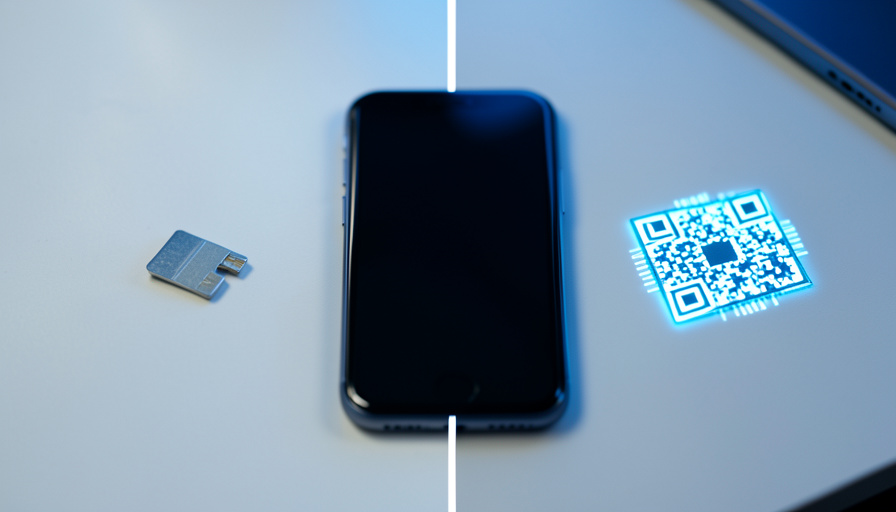
Apple’s eSIM Quick Transfer moves your line between two nearby iPhones over Bluetooth during setup, and when your carrier supports it, you don’t have to contact them at all. The catch is that the whole thing depends on the carrier cooperating. Starting the transfer can deactivate the eSIM on your old phone before the new one is fully live, so your number, calls, texts, and data can go dark for anywhere from a few minutes to, in the worst carrier cases, a day or more. Apple’s eSIM setup guide covers the transfer steps, but the timing risk is on the carrier’s side.
How a physical SIM swap works

If both phones have a tray, a physical SIM swap is about as simple as it gets. You pop the SIM out of the old iPhone with the ejector pin and slot it into the new one, and your number is live almost immediately with no carrier activation step to wait on. That near-zero gap is its biggest advantage. The trade-offs are that you can only hold one SIM per tray, the card can be lost or damaged, and, again, newer US iPhones don’t have the tray at all.
What actually breaks 2FA

Neither SIM type “breaks” two-factor authentication on its own. What breaks it is the activation gap. If your number is briefly inactive during an eSIM transfer, SMS-based 2FA codes won’t arrive, and you can find yourself locked out of the very accounts you need during a phone switch. A physical SIM swap mostly avoids this because the number moves instantly. The fix on either path is the same: move your authenticator apps to the new phone first, keep your recovery and backup codes handy, and start the eSIM transfer only when a short outage won’t strand you.
There’s a second, bigger point. SMS 2FA is the weak link regardless of SIM type, because a number can be hijacked through SIM-swap fraud, where a criminal social-engineers your carrier into moving your line to their device. The FBI has warned that these attacks have cost victims tens of millions of dollars. Setting a carrier account PIN and moving important accounts to app-based or passkey 2FA protects you far more than the choice between eSIM and physical SIM ever will.
What breaks your travel plans

This is where eSIM clearly pulls ahead. Modern iPhones run dual SIM, so you can keep your home line active for calls and codes while a travel eSIM handles cheap local data, often a fraction of daily roaming charges. A physical-only setup can’t do that as gracefully, because slotting in a local SIM means pulling your home SIM and losing your number while it’s out.
One trap to know: many travel eSIMs are data-only, which means they have no phone number and cannot receive SMS verification codes at all. If your 2FA arrives by text, you need your home line reachable through roaming or Wi-Fi calling, since a data eSIM alone can’t receive it. And after any eSIM activation, SMS routing can take a while to settle, so codes may lag for the first hour or two.
So which should you choose?
If your iPhone still has a tray and you want the lowest-risk upgrade, a physical SIM swap is the fastest, most reliable way to keep your number and your codes flowing. If you’re on an eSIM-only iPhone, or you travel often and want dual SIM, eSIM is the better long-term setup, you just have to respect the activation gap. Whichever you use, the smart move is to stop leaning on SMS for anything important and switch those logins to an authenticator app before you upgrade.
How We Compared Them
We focused on the moment of the upgrade itself, since that’s when service gaps and lockouts actually happen, rather than a general eSIM-versus-SIM feature list. The mechanics come from Apple’s own eSIM transfer guidance and carrier behavior, and the failure cases are drawn from the recurring reports in communities like r/ios and carrier subreddits, where people describe being left with no service for hours or days after starting a transfer. We treated SMS 2FA as the real stakes, because that’s what turns a slow activation into a lockout.
The Bottom Line
eSIM transfer and a physical SIM swap both move your number, but they carry different risk. The physical swap is instant and gentle on your 2FA. The eSIM transfer is more flexible, especially for travel, but opens an activation gap where SMS codes can disappear. Plan around that gap: move authenticator apps first, keep backup codes, and don’t rely on text messages for critical logins. If you want the deeper dives, see how an eSIM switch can break your 2FA and why an eSIM sometimes fails right after you land, and the technology section has more on device upgrades.
Frequently Asked Questions
Does transferring an eSIM to a new iPhone break my 2FA?
It can, briefly. Starting an eSIM transfer often deactivates your number on the old phone before the new one is fully active, and during that gap, SMS-based 2FA codes won’t arrive. A physical SIM swap avoids most of this because the number moves instantly. To stay safe, move your authenticator apps first, keep backup codes handy, and start the transfer only when a short outage won’t lock you out.
Can I still use a physical SIM on a new iPhone?
It depends on the model. US iPhones from the iPhone 14 onward have no SIM tray and are eSIM-only, so a physical SIM isn’t an option there. Older iPhones and many models sold outside the US still have a tray. Check the side of your iPhone for a tray before assuming you can swap a card.
Is eSIM or physical SIM safer against SIM-swap fraud?
The bigger risk is SMS 2FA itself, not the SIM type. SIM-swap fraud hijacks your phone number by tricking your carrier, and it defeats any SMS-based code regardless of whether the line is a physical SIM or an eSIM. The strongest protections are setting a carrier account PIN and moving important accounts to app-based or passkey two-factor authentication instead of text messages.
Will a travel eSIM receive my 2FA text messages?
Usually not. Many travel eSIMs are data-only, so they have no phone number and cannot receive SMS or one-time codes. To get your texts abroad, keep your home line reachable through roaming or Wi-Fi calling while the travel eSIM handles data. A full-service eSIM with its own number can receive texts, but most cheap travel plans are data-only.
Should I transfer my eSIM before or after setting up the new iPhone?
Set up the new iPhone and move your authenticator apps and data first, then transfer the eSIM once you can confirm the new phone is working. Doing the eSIM transfer last shortens the window where you might be without service or codes. Make sure the old phone is still on and nearby, since Quick Transfer needs it to hand off the line.