Skip to content
Visboo
 
  • Home
  • Contact
  • Topics
    • Technology
    • Business
    • Education
    • Home Improvement
    • Finance
    • Health
    • Lifestyle
    • Entertainment
    • Autos
    • Law
    • Travel
    • Family & Personal
  • More
    • Menu
    Visboo
     
    • Search
    Technology

    Google vs Microsoft Authenticator: Moving 2FA Without Cloud Backup

    by Olivia CarterOctober 16, 2026September 24, 2026 0
    • 0 Shares
      Share
    • Tweet
    • Pin it
    • Share
    • Email
    • More
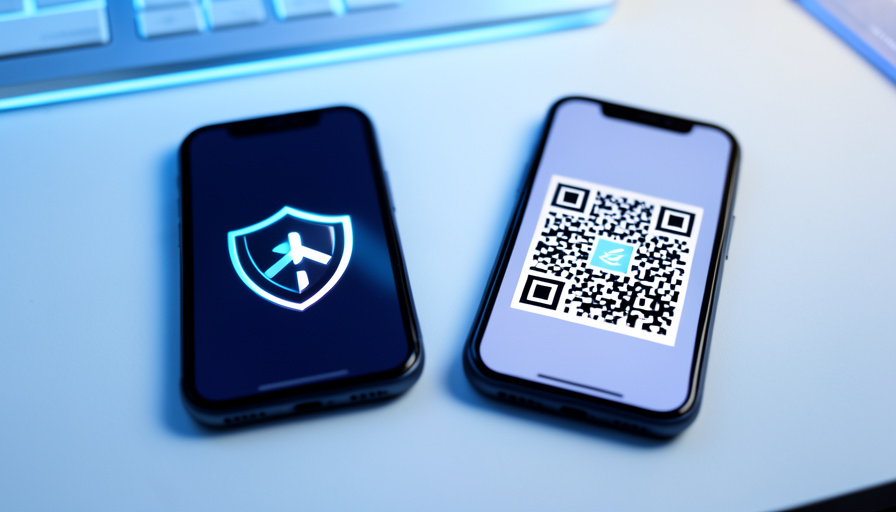
    Two smartphones on a desk, one showing a security shield and the other a QR code, representing a 2FA transfer

    Getting a new phone is the moment two-factor authentication turns from a quiet helper into a potential lockout. If you use Google Authenticator or Microsoft Authenticator and you deliberately keep your codes off the cloud, the apps behave differently when it’s time to move. One was built to hand your codes to a new device offline. The other pushes you toward its cloud, and gets awkward when you won’t. Knowing which is which, before you wipe the old phone, is the whole game.

    This is not a “which app is more secure” debate. Both generate the same standard codes. The question is narrower and more practical: when you migrate to a new phone without a cloud backup, which app gets you there, and where does each one leave you stranded? Here’s the honest breakdown.

    Quick Answer

    Google Authenticator can move your codes without any cloud, using a built-in QR export from the old phone to the new one. Microsoft Authenticator has no offline export at all; it relies on encrypted cloud backup tied to your Microsoft account, and restores only onto the same platform. So if you refuse cloud backup, Google Authenticator transfers cleanly as long as your old phone still works, while Microsoft Authenticator leaves you re-adding every account by hand.

    Google vs Microsoft Authenticator: Transfer at a Glance

    Transfer factor Google Authenticator Microsoft Authenticator
    Offline exportYes, via QR codesNo export of codes
    Cloud backupOptional (Google account)Required for transfer
    Needs old phoneYes, to show the QRNo, if cloud backup is on
    Cross-platform restoreWorks via QRSame platform only
    Best forOffline, no-cloud usersUsers who accept cloud backup

    Table of Contents

    Toggle
    • Google vs Microsoft Authenticator: Transfer at a Glance
    • How Google Authenticator moves your codes
    • How Microsoft Authenticator moves your codes
    • Which wins if you skip cloud backup
    • The scenario that breaks both: no old phone
    • Edge cases worth knowing
    • The one habit that prevents lockouts
    • How We Compared Them

    How Google Authenticator moves your codes

    A person scanning a QR code with a smartphone
    Google Authenticator’s export packs your accounts into a QR code you scan on the new phone, no cloud required.

    Google Authenticator has an offline transfer built in. On the old phone you open the menu, choose Transfer accounts, then Export accounts, and pick which ones to move. The app packs them into one or more QR codes, and on the new phone you choose Import accounts and scan. Nothing touches the internet, which is exactly what the no-cloud crowd wants. One catch to know up front: each QR code holds up to about ten accounts, so a big list produces several codes to scan in turn.

    Google also added optional cloud sync to a Google account, which backs codes up automatically when you sign in. You can leave that off and rely purely on the QR export. The one hard requirement is that your old phone has to still work and be in your hands, because it is the device that displays the QR. Full steps live in Google’s Authenticator help.

    How Microsoft Authenticator moves your codes

    Hands holding a smartphone with a blank screen next to a laptop
    Microsoft Authenticator restores from cloud backup, which is smooth when you use it and a dead end when you don’t.

    Microsoft Authenticator takes the opposite approach. It has no feature to export your codes as a QR or a key, so there is no offline hand-off between phones. Instead it offers encrypted cloud backup tied to a personal Microsoft account, and on iOS it uses iCloud. You turn on backup on the old phone, sign in on the new one, and restore. When you actually use the cloud, it is the smoother of the two.

    The limits matter for anyone avoiding the cloud. Per Microsoft’s own backup guidance, you can only restore onto the same device type, so a backup made on an iPhone will not restore to an Android phone. And with no cloud backup at all, there is no shortcut: you re-add every account by hand through each service’s own security settings.

    Which wins if you skip cloud backup

    For the specific goal of moving 2FA without cloud backup, Google Authenticator is the clear winner. Its QR export was designed for exactly this, letting you migrate device to device with nothing stored online. Microsoft Authenticator’s strength is the cloud backup you are choosing not to use, which leaves you with the slow manual path.

    That does not make Microsoft Authenticator worse overall. If you are comfortable with encrypted cloud backup, its restore is genuinely convenient, and its push-approval sign-ins for Microsoft accounts are excellent. But judged only on the no-cloud transfer, Google’s offline export is the feature that saves your afternoon.

    The scenario that breaks both: no old phone

    A person sitting at a laptop with their head in their hands, looking locked out
    Lose the old phone before transferring, with no cloud and no backup codes, and neither app can save you.

    Here is where both apps fail equally, and where most of the horror stories start. Search any tech-support forum and the same post repeats: someone set up a new phone, wiped or lost the old one, and only then discovered their codes did not come along. Threads in communities like r/ITSupport and r/Office365 are full of it.

    The reason is that a code secret cannot be pulled back out of either app after the fact. With no old phone, no cloud, and no saved backup codes, the only route left is each individual service. You log into the website, go to its security or 2FA settings, and disable then re-enable two-factor to generate a fresh secret for your new phone. That only works if you can still sign in, which is why the account recovery or backup codes each service offered at setup are the real safety net, not the authenticator app.

    Edge cases worth knowing

    • Partial Google export. If the new phone shows only some accounts after scanning, it’s the roughly ten-per-QR limit. Export in batches and scan each code.
    • A QR that won’t scan. A cracked screen, low brightness, or glare can block the read. Clean the screen, raise brightness, and hold steady, or fall back to the service-by-service reset.
    • Cross-platform Microsoft moves. Switching between iPhone and Android breaks Microsoft’s restore, so plan to re-add accounts manually if you change ecosystems.
    • Locked accounts. If a service locks you out during the switch, its recovery flow, not the authenticator, is what gets you back in.

    The one habit that prevents lockouts

    Hands entering a code on a smartphone beside a laptop on a desk
    Transfer first, wipe second. Save each service’s backup codes and you’re covered even if a phone dies.

    Whichever app you use, the rule is the same: move your codes before the old phone is gone, not after. Do the Google QR export or the Microsoft cloud restore while both phones are working, confirm the new phone generates correct codes, and only then wipe or trade in the old one. And save the backup or recovery codes each service gives you at setup somewhere safe, like a password manager. Those codes are the one thing that survives a lost phone, a refused cloud, and a broken QR all at once.

    How We Compared Them

    We looked only at the migration experience for someone who does not want cloud backup, since that is the reader this question comes from. The transfer mechanics come from Google’s and Microsoft’s own support documentation on exporting and backing up accounts, and the failure cases are drawn from the recurring lockout posts in support communities like r/ITSupport, r/Office365, and r/Outlook. We prioritized what actually happens when you move phones, not a general feature scorecard, because the transfer is where people get burned.

    The Bottom Line

    If keeping your 2FA off the cloud matters to you, Google Authenticator is the better fit, because its offline QR export moves your codes with nothing stored online. Microsoft Authenticator shines when you accept its cloud backup and stumbles when you don’t, since it offers no manual export. Either way, the app is not your safety net. Transfer while the old phone still works, keep each service’s backup codes in a password manager, and a new phone becomes a five-minute task instead of a lockout. For the related headache when a carrier switch is involved, see our guide on how an eSIM switch can break your 2FA, and the technology section has more on account security.

    Frequently Asked Questions

    How do I move 2FA to a new phone without cloud backup?

    Use Google Authenticator’s offline export. On the old phone, open the menu, choose Transfer accounts, then Export accounts, select your accounts, and the app creates QR codes. On the new phone, choose Import accounts and scan them. Nothing is stored online. Microsoft Authenticator has no offline export, so without cloud backup you must re-add each account manually through every service’s security settings.

    Can Microsoft Authenticator transfer codes without the cloud?

    No. Microsoft Authenticator does not let you export your codes as a QR or key, so there is no offline transfer. Its only migration path is encrypted cloud backup tied to your Microsoft account, and that restore works only onto the same platform. If you skip cloud backup, you have to set up two-factor again on each account from scratch.

    What happens if I lose my old phone before transferring?

    Neither app can recover the codes, because the secret cannot be extracted after the fact. With no old phone, no cloud, and no saved backup codes, you have to reset two-factor on each service individually by logging into its website and disabling then re-enabling 2FA. That only works if you can still sign in, which is why saved backup codes are essential.

    Is Google Authenticator’s QR export safe?

    Yes, and it is more private than cloud sync because nothing leaves your devices. The one precaution is that the QR code contains your account secrets, so scan it directly on your new phone and do not photograph it, share it, or leave it displayed where someone could capture it. Once the new phone has imported the accounts, the export is done.

    Should I turn on cloud backup anyway?

    It is a personal trade-off. Cloud backup makes phone changes almost effortless and protects you if a phone is lost, but it stores your credentials with the provider, which is the thing no-cloud users want to avoid. If you keep the cloud off, commit to the habits that replace it: export before you switch, and store each service’s backup codes in a password manager.


    Tagged: 2FA Account Security Google Authenticator Microsoft Authenticator Two-Factor Authentication
    About the Author

    Olivia Carter

    Olivia Carter is an education specialist who has worked with online learning platforms and curriculum development teams. She writes about modern education trends, digital learning, and career-focused skill building.

    Related Stories

    A living room TV showing an abstract streaming grid with a glowing house-and-lock icon, and a remote on the couch

    9 Signs a Streaming App Is Enforcing Household Rules

    October 15, 2026September 24, 2026
    A smartphone glowing with a padlock icon on a dark desk, a faint cloud shape above it and a blurred laptop behind

    Authenticator App Backup Failures: What the 2026 Data Shows

    October 12, 2026September 24, 2026
    A smartphone showing a security shield with a cloud backup icon and a hardware security key on a desk

    10 Authenticator App Alternatives With Better Phone-Loss Recovery

    October 10, 2026September 23, 2026
    A person setting up a new smartphone with an older phone resting on the desk beside them

    Passkey Lockouts After a Phone Upgrade: The Real Data

    October 9, 2026September 23, 2026
    A traveler in an airport terminal looking concerned at a smartphone with a suitcase beside them

    Why Switching to a Travel eSIM Breaks Your 2FA

    October 7, 2026September 23, 2026

    Leave a Reply Cancel reply

    You must be logged in to post a comment.

    Read Next

    A laptop showing an abstract workspace with a glowing blue shield-and-lock icon floating above the screen

    7 Notion Alternatives With Safer Permissions for Teams

    October 13, 2026September 24, 2026

    Notion’s flexibility is also its risk: one careless toggle can put an internal page on the public web. These seven tools give teams granular permissions and safer sharing defaults.

    A smartphone showing a glowing padlock icon on a dark desk with a brass key resting beside it

    Apple Recovery Key vs Recovery Contact: Which Prevents Lockout

    October 13, 2026September 24, 2026

    One of these hardens your Apple Account against attackers. The other keeps you from being locked out for good. They are not the same thing, and the strongest setup uses both.

    A USB-C cable plugged into the side port of a laptop with a soft blue power glow around the connector

    7 Signs a USB-C Cable Won’t Fully Power Your Laptop

    October 13, 2026September 24, 2026

    Slow charging and ‘plugged in, not charging’ usually trace back to the cable, not the charger. Here are seven signs your USB-C cable can’t move enough watts, and how to confirm it.

    A hand holding a smartphone showing a grid of photo thumbnails with a glowing cloud and upward arrow above the screen

    How to Move iCloud Photos to Google Photos on a Full iPhone

    October 12, 2026September 24, 2026

    When your iPhone has no room left, you cannot download your library to move it. Apple’s server-to-server transfer copies iCloud Photos straight to Google Photos without touching your phone.

    More

    Recent Articles

    11 Red Flags an Online Pharmacy Checkout Is Risky

    An electrical breaker panel on a wall with a modern kitchen and range blurred in the background

    Induction vs Gas Range: Planning Circuits to Avoid Breaker Trips

    A tablet on a wooden desk showing a neat vertical stack of grey headline cards in chronological order

    Are RSS Readers Better Than News Apps for Avoiding Algorithms?

    A laptop showing an abstract spreadsheet grid with one cluster of cells glowing amber like a spill warning

    Excel Dynamic Arrays vs Google Sheets Arrayformulas: Fixing #SPILL!

    A smartphone showing a grid of album art with a glowing cloud-upload icon, next to over-ear headphones on a wooden desk

    9 Music Streaming Alternatives That Let You Upload MP3s

    A hand signing a signature on a tablet screen with a stylus, a laptop and coffee blurred behind on a bright desk

    7 Low-Friction DocuSign Alternatives for Small Business

    A living room TV showing an abstract streaming grid with a glowing house-and-lock icon, and a remote on the couch

    9 Signs a Streaming App Is Enforcing Household Rules

    A smartphone on a desk showing a news feed with a glowing location pin above it, beside coffee and reading glasses

    Apple News+ vs Google News for Local Alerts

    A smartphone showing a donation app with a heart icon, viewed through a magnifying glass held over the screen

    11 Scam Checks to Run Before You Donate After a Disaster

    A smartphone and a boarding pass on an airport bench with a plane visible through the window

    10 Basic Economy Exceptions That Still Allow Changes or Credits

    A pair of white true wireless earbuds with an open charging case on a dark desk, one earbud sitting apart

    9 Bluetooth Problems That Cause One Earbud to Stop Working

    A laptop showing an abstract workspace with a glowing blue shield-and-lock icon floating above the screen

    7 Notion Alternatives With Safer Permissions for Teams

    An open suitcase with folded clothes, a rolled towel, and toiletries, with a smartphone showing a checklist resting on top

    12 Packing List Apps That Beat Notes for Multi-City Trips

    A smartphone showing a glowing padlock icon on a dark desk with a brass key resting beside it

    Apple Recovery Key vs Recovery Contact: Which Prevents Lockout

    A USB-C cable plugged into the side port of a laptop with a soft blue power glow around the connector

    7 Signs a USB-C Cable Won’t Fully Power Your Laptop

    Recent Comments

    • Help With Law Coursework on Benefits Of Digital Citizenship For Students
    • mTouchlabs on How to Create An Educational App From Scratch
    • Web Development on The Rise Of Artificial Intelligence: Prospects and Potential Threats
    • mekvahan on Never hesitate to service your vehicle- here are the facts
    • Maniha shah on How E-learning helps Achieving Academic Objectives?
    • Qdesq on Benefits Of Having A Virtual Office Space
    • Sekhar Sahu on 5 Modern Study Table Designs to Enhance Your Home
    • coca on 5 Design Tips for Elegant Kitchen Remodeling That You’ll Love in 2020
    • T1000 on Ads Supply Review – A Self-Service Advertising Platform
    • Techolas on Software Testing: What is It and Why You Should Be There
    #techreviews

    Topics

    • Autos
    • Business
    • Education
    • Entertainment
    • Family & Personal
    • Finance
    • Health
    • Home Improvement
    • Law
    • Lifestyle
    • News
    • Technology
    • Travel

    Archives

    • October 2026
    • September 2026
    • June 2026
    • April 2026
    • January 2025
    • June 2023
    • May 2023
    • March 2023
    • February 2023
    • January 2023
    • December 2022
    • November 2022
    • October 2022
    • September 2022
    • August 2022
    • July 2022
    • June 2022
    • May 2022
    • April 2022
    • March 2022
    • February 2022
    • January 2022
    • December 2021
    • November 2021
    • October 2021
    • September 2021
    • August 2021
    • July 2021
    • June 2021
    • May 2021
    • April 2021
    • March 2021
    • February 2021
    • January 2021
    • December 2020
    • November 2020
    • October 2020
    • September 2020
    • August 2020
    • July 2020
    • June 2020
    • May 2020
    • April 2020
    • March 2020
    • February 2020
    • January 2020
    • December 2019
    • November 2019
    • October 2019
    • September 2019
    • August 2019
    • July 2019
    • June 2019
    • May 2019
    • April 2019
    • March 2019
    • February 2019
    • January 2019
    • December 2018
    • November 2018
    • October 2018
    • September 2018
    • July 2018
    • June 2018
    • May 2018
    • April 2018
    • March 2018
    • February 2018
    • January 2018
    • December 2017
    • November 2017
    • October 2017
    • September 2017
    • August 2017
    • July 2017
    • June 2017
    • May 2017
    • April 2017
    • March 2017
    • February 2017
    • January 2017
    • December 2016
    • November 2016
    • October 2016
    • September 2016
    • August 2016
    • July 2016
    • June 2016
    • May 2016
    • April 2016
    • March 2016
    • February 2016
    • January 2016
    • December 2015
    • November 2015
    • October 2015
    • September 2015
    • August 2015
    • July 2015
    • June 2015
    • May 2015
    • April 2015
    • March 2015
    • February 2015
    • January 2015
    • December 2014
    • June 2014
    • March 2013
    • February 2013

    Pages

    • Home
    • Contact

    Search

    Useful Sites

    • RunCloud
    • XE

    Stay Updated

    • Youtube
    [mc4wp_form id="2880"]

    Recent

    • Google vs Microsoft Authenticator: Moving 2FA Without Cloud Backup
    • 11 Red Flags an Online Pharmacy Checkout Is Risky
    • Induction vs Gas Range: Planning Circuits to Avoid Breaker Trips
    • Are RSS Readers Better Than News Apps for Avoiding Algorithms?
    • Excel Dynamic Arrays vs Google Sheets Arrayformulas: Fixing #SPILL!
    • 9 Music Streaming Alternatives That Let You Upload MP3s
    • 7 Low-Friction DocuSign Alternatives for Small Business
    • 9 Signs a Streaming App Is Enforcing Household Rules
    • Apple News+ vs Google News for Local Alerts
    © Copyright 2026 by Visboo. All Rights Reserved.
    Go to mobile version