Skip to content
Visboo
 
  • Home
  • Contact
  • Topics
    • Technology
    • Business
    • Education
    • Home Improvement
    • Finance
    • Health
    • Lifestyle
    • Entertainment
    • Autos
    • Law
    • Travel
    • Family & Personal
  • More
    • Menu
    Visboo
     
    • Search
    Technology

    7 Password Manager Alternatives With Strong Passkey Support

    by Olivia CarterOctober 29, 2026September 24, 2026 0
    • 0 Shares
      Share
    • Tweet
    • Pin it
    • Share
    • Email
    • More
    A person signing in on a laptop with a blank screen and a smartphone lying beside it on a clean desk

    Passkeys have gone from a novelty to the way you sign in, and the built-in managers on your phone and browser handle them fine until your devices stop matching. An iPhone talks to a Mac, an Android talks to Chrome, and the moment your life spans both worlds, a manager tied to one ecosystem starts to feel like a cage. A dedicated password manager fixes that by storing your passkeys in one vault that follows you everywhere. These seven all support passkeys well in 2026, and they differ in the parts that matter: how they sync, how they cross platforms, and what happens when you lose a device.

    None of these are wrong choices. The right one depends on whether you want the cheapest solid option, the most polished experience, the most private, or the most built for a family or a team. Below, each entry says what its passkey story is and who it suits, so you can match the tool to your setup rather than the loudest brand.

    What makes a manager good at passkeys

    Storing a passkey is the easy part; the differences show up around it. The first thing to weigh is cross-platform reach, because a passkey that lives only on one brand of phone defeats the point of switching. The second is syncing, so a passkey you create on a laptop appears on your phone without a fuss. The third, and the one people forget until it bites, is recovery: if you lose or replace a device, you want your vault and its passkeys to come back cleanly. A good password manager handles all three, which is exactly where a dedicated app can beat a browser’s built-in one.

    Hands resting on a closed laptop with a smartphone on top, glasses and a coffee mug nearby
    The value of a dedicated manager is one vault across every device, so your passkeys follow you from laptop to phone.

    The seven at a glance

    ManagerPasskey strengthPlatformsBest for
    BitwardenCreate, store, and sync passkeys; open-sourceWindows, Mac, Linux, Android, iOSValue and transparency
    1PasswordPasskeys plus passkey account sign-inAll major platformsThe most polished all-rounder
    Proton PassPasskeys included on the free tierCross-platform, open-sourcePrivacy-first users
    DashlaneEarly, web-first passkey supportBrowser-based, cross-platformPeople who live in the browser
    NordPassPasskeys with modern encryptionWindows, Mac, Linux, Android, iOSA clean, modern manager
    KeeperPasskeys with a zero-knowledge designCross-platformFamilies and businesses
    RoboFormPasskeys plus strong form fillingCross-platformBudget and form-heavy use

    Table of Contents

    Toggle
    • What makes a manager good at passkeys
    • 1. Bitwarden
    • 2. 1Password
    • 3. Proton Pass
    • 4. Dashlane
    • 5. NordPass
    • 6. Keeper
    • 7. RoboForm

    1. Bitwarden

    Bitwarden is the value pick, and it does not skimp where it counts. It is open-source and independently audited, its free tier is more generous than most paid rivals, and it lets you create and store passkeys in its browser extension and use them across Windows, Mac, Linux, Android, and iOS. If you want total control, you can even self-host the vault. The catch is polish: the apps are plain rather than glossy, and passkey handling leans on the browser extension more than on deep operating-system hooks, so it can feel a touch more manual. For transparency and price, little else comes close.

    2. 1Password

    1Password is the mature all-rounder, the one to pick when you want the most finished experience. It stores and fills passkeys across every major platform, and it went further than most by letting you sign in to your account itself with a passkey instead of a master password. The apps are polished, family and team sharing is strong, and its Watchtower feature flags weak or breached logins. The one real trade is cost: there is no free tier, only a trial, so it is a paid commitment. For a deeper look at how it handles losing access, see our comparison of Apple Passwords and 1Password on passkey recovery.

    3. Proton Pass

    Proton Pass comes from the team behind Proton Mail, and it carries the same Swiss privacy stance and end-to-end encryption. It supports passkeys and, in a move that sets it apart, made them available on its free tier rather than gating them behind a paid plan. The apps are open-source and cross-platform, with a clean interface. Being younger than the veterans, its feature set is still filling out, and a few advanced extras sit in the paid tier. If a privacy-first pick with free passkeys is what you are after, it is the standout.

    A laptop on a table showing a padlock icon and the word secured over a world map graphic
    Encryption is the baseline for all seven; the passkeys and passwords in your vault stay locked to your account.

    4. Dashlane

    Dashlane was one of the first managers to back passkeys, and it rebuilt itself around a web-first model to do it. Your vault lives in the browser and its extension rather than in a heavy desktop app, and it handles passkeys across platforms while adding dark-web monitoring and a VPN on higher tiers. The web-first shift is also its main trade: there is no standalone desktop app anymore, which some longtime users miss, and it leans toward paid plans. If you live in the browser, its passkey support is smooth and well-tested.

    5. NordPass

    NordPass, from the makers of NordVPN, pairs modern encryption with broad reach. It uses the XChaCha20 cipher, runs on Windows, Mac, Linux, Android, and iOS, and offers extensions for the major browsers, so your passkeys travel with you. The interface is clean and quick, which makes day-to-day use painless. There is a free tier, but it limits you to one active device at a time, so genuine cross-device use points you to a paid plan. For a modern, tidy manager with wide platform coverage, it is a strong choice.

    Close-up of a person's hands typing on a laptop in bright natural light
    Day-to-day, the manager you stick with is the one that stays out of your way when you sign in.

    6. Keeper

    Keeper leans hardest into security architecture, with a zero-knowledge design and granular controls that make it a favorite for families and businesses. It supports passkeys across platforms and pairs them with strong admin, sharing, and policy features that larger households and teams lean on. The trade is that its many options can feel heavier than a single-person tool needs, and the best pieces are spread across paid tiers and add-ons. If security depth and account management matter more to you than simplicity, Keeper earns the look.

    7. RoboForm

    RoboForm is the veteran of the group, predating most of its rivals, and it built its name on excellent form filling at a budget-friendly price. It has added passkey support and syncs across platforms with browser extensions, so it keeps pace on the feature that matters here. The interface feels more dated than the newer names, and it is less flashy in general, but it is dependable and costs less than the premium set. For filling forms and logins on a budget, now with passkeys in the mix, it holds its own.

    A woman smiling while using a laptop at a kitchen table with coffee
    The best manager is the one you will keep using, so match it to your devices and habits rather than the label.

    Features, tiers, and pricing for these apps change often, and passkey support keeps evolving, so confirm the current details on each provider’s own site before you commit. Whichever manager you choose, keep two-factor authentication on for the account that protects your vault, and never share your master password or recovery codes with anyone.

    How We Chose These

    We started with managers that genuinely support passkeys today, not ones that only promise it, and then looked at the parts that decide real-world use: cross-platform coverage, how cleanly passkeys sync between devices, and how recovery works if a device is lost or replaced. We favored a spread of strengths rather than one winner, so the list covers the best free option, the most polished paid one, the most private, and the picks built for families or tight budgets. Where an app has a clear trade, such as a device-limited free tier or a dated interface, we said so instead of glossing over it.

    What To Know

    • All seven managers store, sync, and use passkeys across platforms, which is where a dedicated app beats a browser’s built-in one tied to a single ecosystem.
    • Bitwarden is the value and transparency pick, open-source with a generous free tier; 1Password is the most polished but subscription-only.
    • Proton Pass includes passkeys on its free tier and leads on privacy; NordPass pairs modern encryption with broad platform reach.
    • Dashlane suits browser-first users, Keeper suits families and businesses, and RoboForm covers budget and form-heavy use.
    • Weigh cross-platform reach, syncing, and device recovery, and keep two-factor authentication on the account guarding your vault.

    Frequently Asked Questions

    Do I need a password manager if my phone already stores passkeys?

    Not always, but a dedicated manager helps once your devices span different ecosystems. A phone’s built-in manager keeps passkeys inside its own world, so an iPhone-and-Windows or Android-and-Mac mix can leave you without a passkey where you need it. A cross-platform manager stores every passkey in one vault that reaches all your devices, which is the main reason people switch. If you live entirely on one brand, the built-in option may be enough.

    Which password manager is best for passkeys?

    It depends on what you value. Bitwarden is the best pick for value and transparency, 1Password for the most polished all-round experience, and Proton Pass for privacy with passkeys on the free tier. NordPass suits people who want a modern, tidy app, Dashlane fits browser-first users, and Keeper is built for families and businesses. All support passkeys across platforms, so the deciding factors are price, polish, and which devices you use.

    Are passkeys stored in a password manager safe?

    Yes. Passkeys are designed to resist phishing, and reputable managers encrypt your vault so that only you can open it, most using a zero-knowledge model where the provider cannot read your data. Keep two-factor authentication on the account that guards the vault, use a strong master password, and set up the recovery options the app offers. Stored properly, passkeys in a manager are a stronger way to sign in than reused passwords.

    Can I move my passkeys from my browser to a password manager?

    Increasingly, yes, though it varies by app and platform. Passkey portability has been a focus of the FIDO Alliance that sets the standards, and managers are adding import and export tools as those standards mature. In practice, the smoothest path today is often to create new passkeys in your chosen manager for the sites you use most, rather than relying on a bulk transfer. Check your manager’s current import options, since this area is moving quickly.

    Is a free password manager enough for passkeys?

    For many people, yes. Bitwarden’s free tier supports passkeys across devices, and Proton Pass includes passkeys on its free plan too, so you can go passwordless without paying. The usual limits on free tiers are things like device count, sharing, or extra security tools rather than passkeys themselves. If you need cross-device use on every plan, family sharing, or advanced monitoring, that is where a paid tier starts to earn its cost.

    What To Do Next

    Pick by your priorities: Bitwarden or Proton Pass if you want strong free passkey support, 1Password if you want the most polished paid app, and Keeper or NordPass for families or a modern feel. Whichever you choose, turn on two-factor authentication for the account, set up recovery before you need it, and start by adding passkeys for your most important logins. For more on going passwordless and keeping accounts secure, browse the technology section, which has more guides on passkeys and account protection.


    Tagged: Account Security Cross-Platform Passkeys Password Managers Security Tools
    About the Author

    Olivia Carter

    Olivia Carter is an education specialist who has worked with online learning platforms and curriculum development teams. She writes about modern education trends, digital learning, and career-focused skill building.

    Related Stories

    A person logging into a laptop with a blank screen while a smartphone rests on the desk beside it

    iCloud Keychain vs Google Password Manager on Windows 11

    October 28, 2026September 24, 2026
    A person holding a smartphone with a blank screen while a tablet lies on the desk beside a coffee mug

    Passkeys Not Syncing on iPhone and iPad After an Email Change

    October 28, 2026September 24, 2026
    A person at a laptop on a desk signing in, with a coffee mug and plants in a bright home office

    How to Switch to Passkeys on Windows 11 Safely

    October 25, 2026September 24, 2026
    A person signing in on a laptop while holding a new smartphone at a home-office desk

    Apple Passwords vs 1Password: Passkey Recovery on a Lost iPhone

    October 24, 2026September 24, 2026
    A person signing in to a laptop with a fingerprint sensor, a smartphone resting beside it on a bright desk

    Can Small Businesses Use Passkeys Without Hardware Keys?

    October 21, 2026September 24, 2026
    Two smartphones on a desk, one showing a security shield and the other a QR code, representing a 2FA transfer

    Google vs Microsoft Authenticator: Moving 2FA Without Cloud Backup

    October 16, 2026September 24, 2026

    Leave a Reply Cancel reply

    You must be logged in to post a comment.

    Read Next

    A person relaxing on a sofa with white wireless earbuds, smiling while holding a smartphone in a warm living room

    How to Move Spotify Playlists to Apple Music on iPhone

    October 26, 2026September 24, 2026

    Switching from Spotify to Apple Music on your iPhone does not mean rebuilding years of playlists by hand. A free transfer app moves your playlists and saved library across in minutes, and your offline songs come right back with a re-download. Here is the whole process, plus the honest part about what does and does not carry over.

    A family sitting on a couch smiling at photos on a tablet held between them

    6 Google Photos Alternatives for Family Shared Albums

    October 24, 2026September 24, 2026

    Sharing a family album in Google Photos often means everyone needs the same account or a maze of partner-sharing settings. These six alternatives let a whole family add to one album without merging or handing over logins, and here is who each one fits.

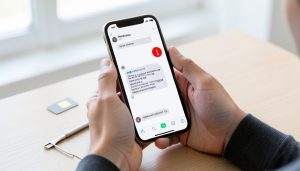
    Hands holding a smartphone showing a messaging app with a red warning icon beside a message, with a SIM card on the desk

    11 Settings to Check When RCS Won’t Send on Dual-SIM

    October 22, 2026September 24, 2026

    Your texts send fine from one SIM but stall as RCS on the other, and you can’t figure out why. On a dual-SIM Android phone, RCS registers per number, so one line can work while the other quietly fails. Here are 11 settings to check to get both sending.

    An overhead desk flat lay with a laptop, a stack of printed pages, a magnifying glass over a document, and a smartphone

    11 PDF Editor Alternatives With Free, Unlocked OCR

    October 20, 2026September 24, 2026

    Big-name PDF editors love to put optical character recognition behind a paid plan. These 11 alternatives, from full editors to open-source utilities to apps you already own, hand you OCR for free.

    More

    Recent Articles

    A person booking a hotel on a laptop with a blank screen, a passport and notebook on the desk beside them

    8 Timeline Clues to Check Before a Nonrefundable Hotel Rate

    A pair of hands holding up a smartphone with a blank screen at a concert, with colorful stage lights and a crowd in the background

    12 Concert Ticket Transfer Errors and How to Fix Them

    A runner jogging away along a tree-lined park path in soft golden morning light

    5 Strava Alternatives for Runners Who Value Privacy

    A person logging into a laptop with a blank screen while a smartphone rests on the desk beside it

    iCloud Keychain vs Google Password Manager on Windows 11

    A person at a desk holding a smartphone and looking at it with a puzzled, thoughtful expression

    Why Your News App Keeps Closing After Updates

    A person holding a smartphone with a blank screen while a tablet lies on the desk beside a coffee mug

    Passkeys Not Syncing on iPhone and iPad After an Email Change

    A parent and a teenager sitting on a couch together, smiling while looking at a smartphone the parent is holding

    How to Set Up Family Location Sharing Without Life360

    A person reviewing a printed spreadsheet of tabular data with a pen, beside an open laptop with a blank screen

    Sheets Smart Fill vs Excel Flash Fill for Messy CSVs

    A person at a bright kitchen table tapping a smartphone with a puzzled expression, a coffee mug beside them

    13 Fixes for a News App That Keeps Closing on iPhone

    A traveler in a bright airport terminal looking at a smartphone while holding a dark blue passport, with a rolling suitcase

    11 Reasons Mobile Passport Control Rejects Your Submission

    A worried person at a kitchen table looking at a smartphone, with car keys and paper vehicle documents on the table

    7 Signs a Car History Report Link Is a Phishing Scam

    A white portable dehumidifier standing on the concrete floor of a bare basement with a small window in the background

    12 Dehumidifier Mistakes That Keep a Basement Musty

    A person relaxing on a sofa with white wireless earbuds, smiling while holding a smartphone in a warm living room

    How to Move Spotify Playlists to Apple Music on iPhone

    A person in a bright kitchen holding a smartphone showing a barcode over a spread of fresh vegetables and a glass of water

    MyFitnessPal Alternatives That Keep Barcode Scanning Free

    A student at a laptop reading a printed document at a desk, looking concerned, with a notebook and pens nearby

    Parchment vs Clearinghouse: Fixing Transcript Holds and Mismatches

    Recent Comments

    • Help With Law Coursework on Benefits Of Digital Citizenship For Students
    • mTouchlabs on How to Create An Educational App From Scratch
    • Web Development on The Rise Of Artificial Intelligence: Prospects and Potential Threats
    • mekvahan on Never hesitate to service your vehicle- here are the facts
    • Maniha shah on How E-learning helps Achieving Academic Objectives?
    • Qdesq on Benefits Of Having A Virtual Office Space
    • Sekhar Sahu on 5 Modern Study Table Designs to Enhance Your Home
    • coca on 5 Design Tips for Elegant Kitchen Remodeling That You’ll Love in 2020
    • T1000 on Ads Supply Review – A Self-Service Advertising Platform
    • Techolas on Software Testing: What is It and Why You Should Be There
    #techreviews

    Topics

    • Autos
    • Business
    • Education
    • Entertainment
    • Family & Personal
    • Finance
    • Health
    • Home Improvement
    • Law
    • Lifestyle
    • News
    • Technology
    • Travel

    Archives

    • October 2026
    • September 2026
    • June 2026
    • April 2026
    • January 2025
    • June 2023
    • May 2023
    • March 2023
    • February 2023
    • January 2023
    • December 2022
    • November 2022
    • October 2022
    • September 2022
    • August 2022
    • July 2022
    • June 2022
    • May 2022
    • April 2022
    • March 2022
    • February 2022
    • January 2022
    • December 2021
    • November 2021
    • October 2021
    • September 2021
    • August 2021
    • July 2021
    • June 2021
    • May 2021
    • April 2021
    • March 2021
    • February 2021
    • January 2021
    • December 2020
    • November 2020
    • October 2020
    • September 2020
    • August 2020
    • July 2020
    • June 2020
    • May 2020
    • April 2020
    • March 2020
    • February 2020
    • January 2020
    • December 2019
    • November 2019
    • October 2019
    • September 2019
    • August 2019
    • July 2019
    • June 2019
    • May 2019
    • April 2019
    • March 2019
    • February 2019
    • January 2019
    • December 2018
    • November 2018
    • October 2018
    • September 2018
    • July 2018
    • June 2018
    • May 2018
    • April 2018
    • March 2018
    • February 2018
    • January 2018
    • December 2017
    • November 2017
    • October 2017
    • September 2017
    • August 2017
    • July 2017
    • June 2017
    • May 2017
    • April 2017
    • March 2017
    • February 2017
    • January 2017
    • December 2016
    • November 2016
    • October 2016
    • September 2016
    • August 2016
    • July 2016
    • June 2016
    • May 2016
    • April 2016
    • March 2016
    • February 2016
    • January 2016
    • December 2015
    • November 2015
    • October 2015
    • September 2015
    • August 2015
    • July 2015
    • June 2015
    • May 2015
    • April 2015
    • March 2015
    • February 2015
    • January 2015
    • December 2014
    • June 2014
    • March 2013
    • February 2013

    Pages

    • Home
    • Contact

    Search

    Useful Sites

    • RunCloud
    • XE

    Stay Updated

    • Youtube
    [mc4wp_form id="2880"]

    Recent

    • 7 Password Manager Alternatives With Strong Passkey Support
    • 8 Timeline Clues to Check Before a Nonrefundable Hotel Rate
    • 12 Concert Ticket Transfer Errors and How to Fix Them
    • 5 Strava Alternatives for Runners Who Value Privacy
    • iCloud Keychain vs Google Password Manager on Windows 11
    • Why Your News App Keeps Closing After Updates
    • Passkeys Not Syncing on iPhone and iPad After an Email Change
    • How to Set Up Family Location Sharing Without Life360
    • Sheets Smart Fill vs Excel Flash Fill for Messy CSVs
    © Copyright 2026 by Visboo. All Rights Reserved.
    Go to mobile version